



Table of Contents
- 1 Introduction
- 2 How This Gaming Laptop List Was Evaluated
- 3 Who This Guide Is Truly Meant For!
- 4 Your Best Gaming Laptop Under 60000 Options Right Here
- 5 How We Picked These Laptops
- 6 First 7 Days Setup Checklist
- 7 Long Term Maintenance Tips
- 8 GPU Reality Check – RTX 3050 vs RTX 2050
- 9 Online vs Offline Buying
- 10 Extra Awareness You Should Know
- 11 Personal Opinion
- 12 Conclusion
- 13 FAQ
Introduction
Stop for a second. Before buying a best gaming laptop under 60000 – ask yourself one honest question. Do you really know what matters… or are you just following noise? Most people regret a laptop purchase not after one year but after one week. Lag in games. Heating. Battery panic. Poor screen. And then the worst feeling hits – I chose wrong.
Here is the true fact nobody says clearly. The problem is rarely budget. The problem is bad guidance. People mix creator hype, shop advice and random comments. That confusion creates wrong decisions.
Now read this carefully. Strong gaming performance today is already possible at a fair level. The best laptop for gaming and work is not about luck or discounts. It is about understanding the right balance of GPU, CPU, cooling and display.
This buying guide exists for one reason. So you do not sit later, staring at your laptop, thinking – I should have known this earlier. So, be grateful and keep reading.
How This Gaming Laptop List Was Evaluated
When evaluating gaming laptops under a fixed budget, i focus on how the machine behaves after extended use rather than peak performance numbers. Short benchmarks often look impressive, but sustained gaming sessions reveal the real limitations that matter to buyers.
My evaluation prioritizes thermal stability after 30 to 45 minutes of gameplay, keyboard heat during long sessions, fan noise consistency, display comfort for extended viewing and performance drops under load. I also consider upgrade limitations and long term usability instead of raw specifications alone.
I intentionally filter out laptops that perform well only on paper but struggle with heat management, noisy cooling or inconsistent performance in daily use. This list highlights options that balance performance and practicality, rather than models driven by marketing claims.
Who This Guide Is Truly Meant For!
College Students
You attend classes, learn, submit assignments and then relax with games at night. Having two devices for two different requirements makes no sense. A best gaming laptop lets you do both on one screen. Notes, coding, editing and then games. This is why many students now prefer a gaming laptop that can handle study work in the day and gaming in the evening without any issue.
First Time Gaming Laptop Buyers
If this is your first gaming laptop, then confusion is very real and common at this moment. Specifications may bounce in your head. Sellers push random models. We slow things down here. You need smooth gameplay, decent cooling and stable performance. Nothing extra. Nothing fake. This guide helps you understand what matters first.
Serious Gamers
If you game regularly, you already know one truth. Random frame drops ruin mood fast. You want stable play, decent graphics settings and predictable performance. This guide helps you avoid machines that look strong on paper but fail in real play. We focus on laptops that keep sessions reliable, whether you play daily or train for long hours.
Users Upgrading from i3 or i5
If you come from an old i3 or i5 laptop with no graphics card, you already feel that mental pain or frustration. Lag. Heat. Slow loading. Even basic games feel tiring. Upgrading changes everything. Games start faster. Editing feels lighter. Multitasking becomes normal again.
Your Best Gaming Laptop Under 60000 Options Right Here
MSI Thin 15
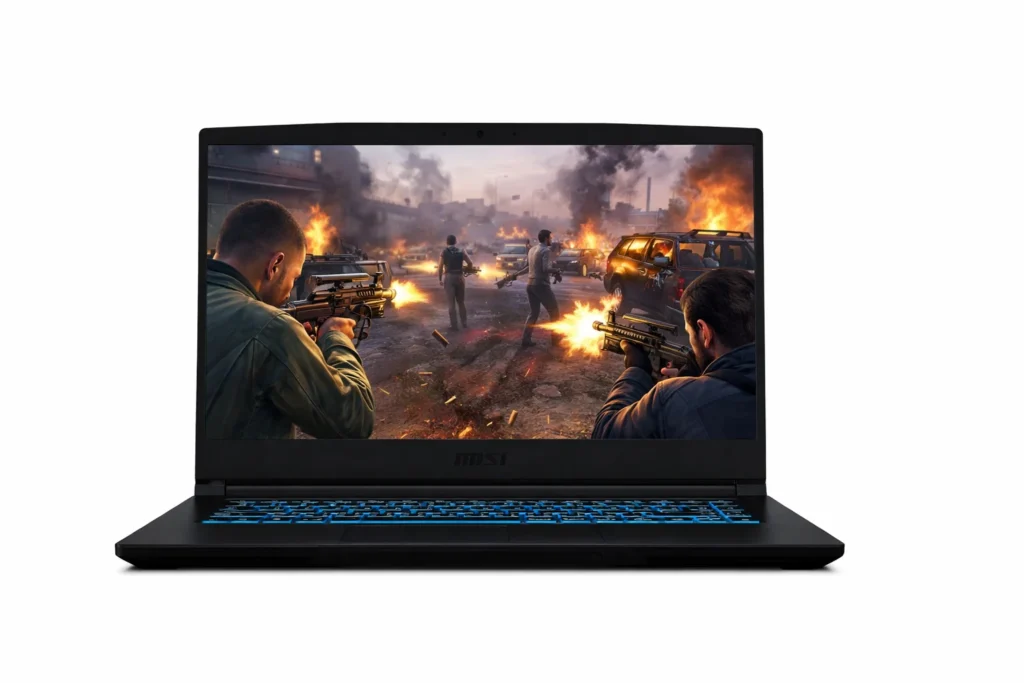
Across extensive user reviews and detailed comparisons within this price range, this model consistently stood out as a balanced and reliable option.
Intel 13th Gen Core i5 13420H processor inside this thing is pretty solid. It can push up to 4.6GHz when you’re in mid of an intense gaming session. What does that mean in real words? Well, your games won’t suddenly start acting weird or freezing when things get heated on screen. Whether you’re building in Fortnite or pushing mid in Valorant – everything stays responsive and quick.
Now here’s the part that really caught our eyes while researching – that 144Hz display. Most people don’t realize how important this is until they actually see it. Regular laptop screens refresh 60 times per second… but this one does it 144 times. Your enemies move naturally, you can track them better and honestly, it just feels like you’re seeing more of what’s happening. Every review we read kept mentioning this as the standout feature.
NVIDIA GeForce RTX 3050 with 4GB GDDR6 manages graphics really well. You won’t stuck while playing on low settings like those basic laptops. This card lets you enjoy your games the way they’re meant to look – detailed, colorful and very smooth.
You get 16GB dual channel RAM which is very important. While gaming, background apps like Discord, launchers and screen recorders stay open without problems. For students, this means PDFs, browsers and tools can stay open together. The system stays balanced instead of choking.
Plus, 512GB NVMe SSD is super quick. Boot up times? Lightning fast. Game loading? Way quicker than those old style hard drives. People in reviews kept praising how responsive everything feels.
What surprised us during research was weight – just 1.85kg. That’s lighter than most gaming laptops. You can actually carry this around without your shoulder hurting. And the beautiful blue backlit keyboard looks cool and works great for night gaming sessions.
It comes with Windows 11 Home already set up, MSI Center software for tweaking performance and plenty of ports including USB Type C and HDMI. After digging through real user feedback and expert opinions, this affordable gaming laptop delivers way more than its price tag suggests. And Yup… it’s definitely worth considering.
| Specifications | |
|---|---|
| 💻 Processor | Intel Core i5-13420H (13th Gen), up to 4.6 GHz |
| 🪟 Operating System | Windows 11 Home (lifetime validity) |
| 🖥️ Display | 15.6-inch (40 cm) FHD IPS-level display, 1920 × 1080, 144 Hz, 45% NTSC |
| 🎮 Graphics Card | NVIDIA GeForce RTX 3050, 4 GB GDDR6 (dedicated GPU) |
| 💾 RAM | 16 GB DDR4 (8 GB × 2 dual-channel) |
| 🧠 Storage | 512 GB NVMe PCIe Gen4 ×4 SSD |
| 📡 Connectivity | Wi-Fi + Bluetooth 5.3 |
| 🔌 Ports | 1 × USB-C (USB 3.2 Gen1 / DisplayPort), 3 × USB-A 3.2 Gen1, 1 × HDMI (4K @ 30 Hz) |
| 📷 Camera | HD webcam (720p @ 30 fps) |
| ⌨️ Design & Keyboard | Thin design, weight 1.85 kg, single-zone blue backlit keyboard |
| 🛡️ Warranty | 2 years |
| Check Latest Price | |
| 👉If today’s price feels good, grab it — you’ll thank yourself later! If not – no stress dear incredible you — just add it to your cart and check back soon. The best deals always find their way back to you. | |
| Note: Specs may vary — please check the retailer’s site before buying. | |
| As an Amazon Associate, we earn from qualifying purchases. If you buy through our links, we may earn a commission at no extra cost to you. | |
Lenovo LOQ
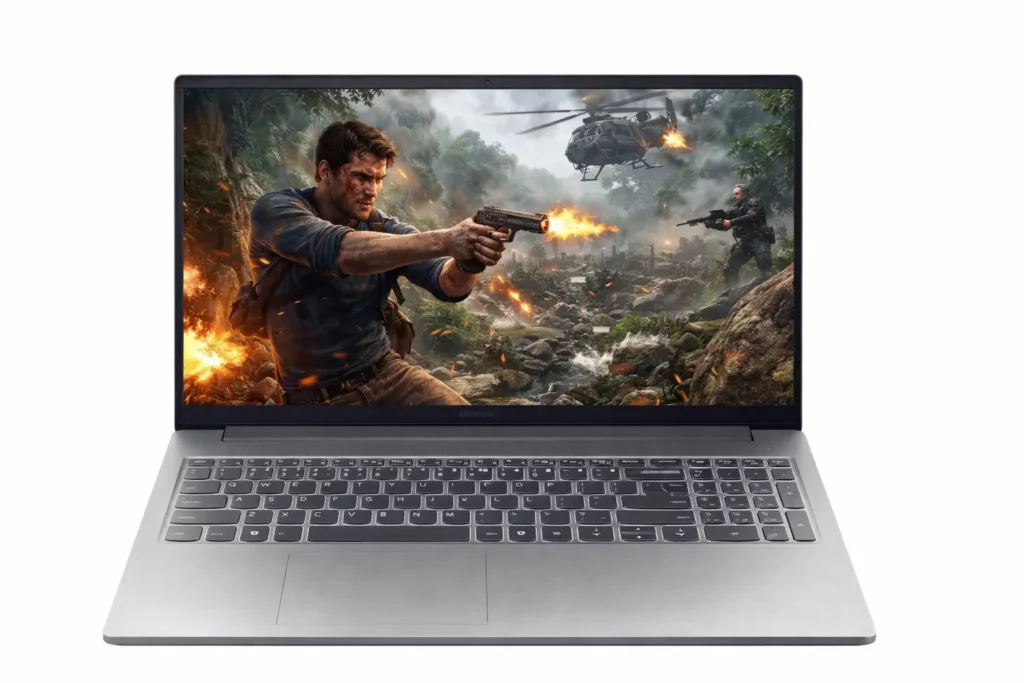
Lenovo LOQ consistently appeared across user discussions while evaluating gaming laptops in this price range, not due to flashy promotions… but because long term users frequently mentioned its stability in daily use. That pattern justified a deeper evaluation.
Intel Core i5 12450HX plays a big role here. It has real desktop style power packed inside a laptop body. During gaming when scenes suddenly get busy or maps load heavy assets, the processor does not hesitate or lag. Games keep moving forward instead of stuttering. For students, this same power helps when multiple tabs, coding tools or heavy apps stay open together.
RTX 2050 with 4GB GDDR6 surprised us while researching. Many people think this card stays weak but real users say otherwise. Games like GTA V, Valorant, Apex and even story games run at good settings without forcing everything to low. Visuals stay clean and movement stays natural instead of shaky.
It’s 15.6 inch Full HD screen with 144Hz refresh rate changes how games feel. Characters move in a more natural way, aiming feels easier and long sessions feel less tiring. Even outside gaming, reading notes or watching lectures feels calmer on the eyes.
12GB DDR5 RAM gives breathing room. Background apps stay alive while games run. T512GB NVMe SSD cuts waiting time during boot and game launch. Ports stay ready for mouse, keyboard, monitor or external drive. Windows 11 Home and Office come ready… so work starts immediately.
Lenovo LOQ does not shout. It stays composed, balanced and dependable — which is exactly why many people end up choosing it.
| Specifications | |
|---|---|
| 💻 Processor | Intel Core i5-12450HX (8 Cores, 12 Threads, up to 4.4 GHz, 12MB Cache) |
| 🪟 Operating System | Windows 11 Home with Office Home 2024 |
| 🖥️ Display | 15.6-inch Full HD IPS Panel (1920×1080), 144Hz Refresh Rate |
| 🎨 Color & Brightness | 100% sRGB Color Coverage, 300 nits Brightness, Anti-Glare Coating |
| 🎮 Graphics Card | NVIDIA GeForce RTX 2050, 4GB GDDR6, 65W TGP |
| 💾 Memory (RAM) | 12GB DDR5-4800 (Expandable up to 32GB) |
| 🧠 Storage | 512GB PCIe 4.0 NVMe SSD (M.2 2242 Form Factor) |
| 📡 Connectivity | Wi-Fi 6 (802.11ax, 2×2) + Bluetooth 5.2 |
| ❄️ Thermal Design | Dual-fan rear exhaust cooling with sealed chamber for improved heat control |
| 🤖 AI & Performance Features | Lenovo AI Engine with MUX Switch and NVIDIA Advanced Optimus |
| 🛡️ Warranty | 1 Year Manufacturer Warranty |
| Check Latest Price | |
| 👉 If today’s price feels right, go for it — future you will be happy. If not, no pressure at all — just add it to your cart and revisit later. Good deals have a habit of returning. | |
| Note: Specifications may vary. Always double-check details on the retailer’s official page before purchasing. | |
| Disclosure: As an Amazon Associate, we earn from qualifying purchases. Buying through our links may earn us a small commission at no extra cost to you. | |
Acer ALG
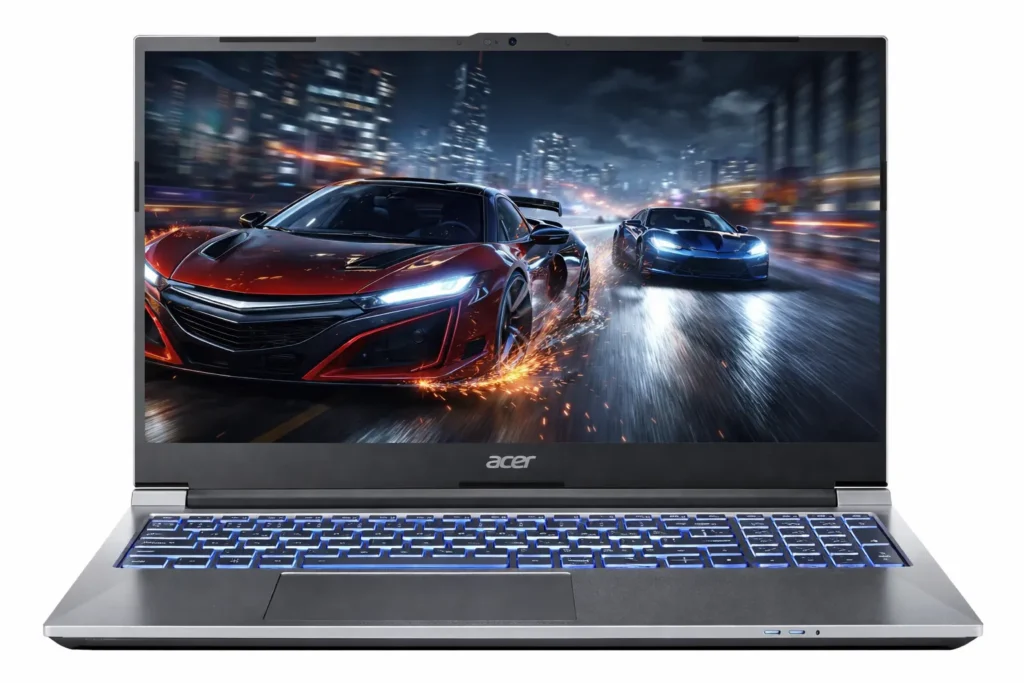
Acer ALG repeatedly appeared during comparisons of gaming laptops in this range, also not due to hype… but because long term user feedback often highlighted how balanced it feels once daily use begins. That pattern led to deeper analysis through detailed reviews, extended discussions, and real usage reports.
Intel Core i5 12450H inside plays a key role. This processor holds steady when games throw heavy scenes or sudden action. Matches stay playable during pressure moments. For study or work, the same power helps when browsers, coding tools or editing apps stay open together. Overall, with this processor – your system will react when you ask it to, not later.
RTX 2050 with 4GB memory supports modern games at proper settings. Frame drops do not ruin aim or timing. This matters a lot during long sessions, especially for players who play everyday.
15.6 inch Full HD screen with 144Hz refresh rate changes how movement looks. Motion feels natural. Tracking opponents feels easier. Even long study hours feel calmer on the eyes. Narrow bezels also help keep focus on the screen instead of borders.
16GB dual channel RAM keeps things stable. Voice chat, launchers and background tools stay active during gaming. 1TB SSD gives enough room for games, projects, recordings and backups while keeping load times short.
Overall you can consider it one of the best laptop for gaming and work when balance matters more than noise.
| Specifications | |
|---|---|
| 💻 Processor | Intel Core i5-12450H (12th Gen), Turbo Boost up to 4.4 GHz |
| 🪟 Operating System | Windows 11 Home |
| 🖥️ Display | 15.6-inch (39.62 cm) Full HD Display, 1920×1080 Resolution |
| 🔄 Refresh Rate | 144 Hz |
| 🎮 Graphics Card | NVIDIA GeForce RTX 2050, 4GB GDDR6 (Dedicated GPU) |
| 💾 RAM | 16GB DDR4 Dual-Channel (2× SO-DIMM) |
| 🧠 Storage | 1TB NVMe SSD |
| 📡 Connectivity | Wi-Fi, Bluetooth, HDMI |
| 🔌 Ports | 2× USB-C 3.2, 1× USB-A 3.2, 1× USB-A 2.0 |
| ⚖️ Design & Keyboard | Premium metal body, multi-color backlit full-size keyboard with numpad, weight approx. 1.99 kg |
| 🛡️ Warranty | 1 Year Manufacturer Warranty |
| Check Latest Price | |
| 👉 If today’s price feels good, grab it — you will thank yourself later. If not, no stress at all — just add it to your cart and check again soon. Good deals always return. | |
| Note: Specs may vary — please check the retailer’s site before buying. | |
| Disclosure: As an Amazon Associate, we earn from qualifying purchases. If you buy through our links, we may earn a commission at no extra cost to you. | |
ASUS TUF Gaming A15
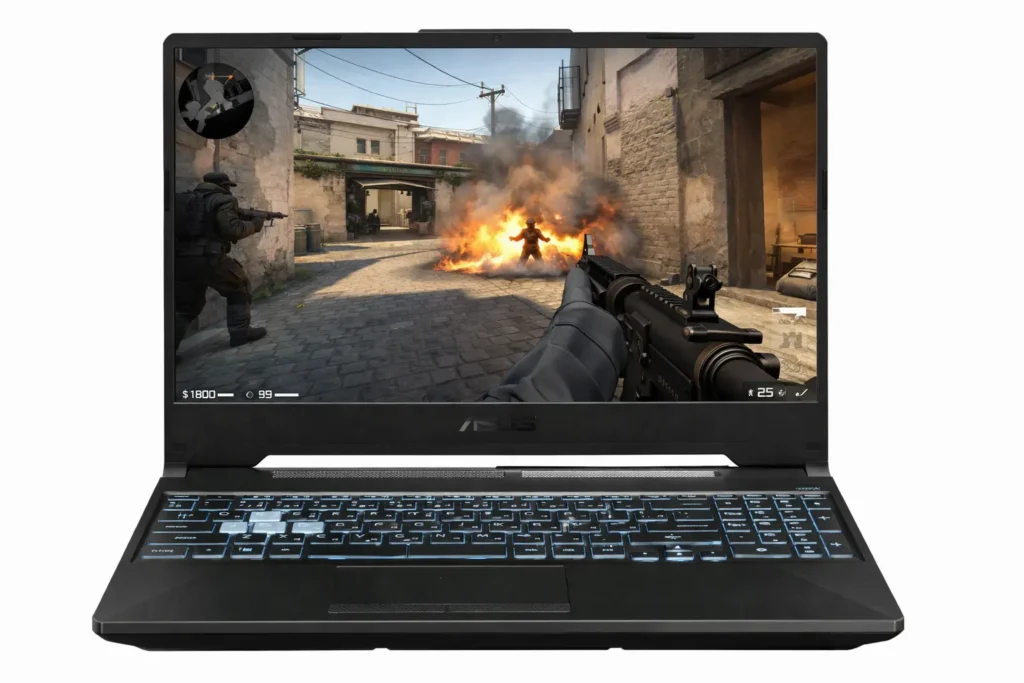
When we look at gaming laptops around this range, one thing matters more than raw numbers. The system should stay stable when load stays high. And, Asus Tuf Gaming A15 fits well here.
Ryzen 7 7435HS is an 8 core, 16 thread processor and that matters for long sessions. Games, background services and system tasks keep running together without sudden drops. In real use, this helps during long matches, heavy downloads, heavy multitasking or even project work running beside games.
The RTX 3050 laptop GPU at 60W focuses on consistent frame delivery rather than short bursts. You get usable graphics settings in modern titles, proper lighting effects and controlled frame pacing. On the 144Hz display, movement feels predictable and easier to follow, especially in fast scenes.
The 15.6 inch Full HD screen uses an anti glare panel which helps during long hours. Whether you sit near lights or windows, reflections stay controlled. The refresh rate keeps motion steady and eye fatigue stays lower during extended use.
With 16GB DDR5 memory, the system feels prepared for the next few years. Games, browsers, tools and launchers remain active without forcing restarts. The PCIe Gen 4 SSD keeps boot times short and file access quick which helps during daily use more than people expect. Along with that, keyboard lighting helps in low light and fast charging supports short breaks.
If you can stretch the budget slightly, this feels like one of the best laptop graphics card for gaming in this bracket, especially for users who want performance that stays consistent, not just flashy on paper.
| Specifications | |
|---|---|
| 💻 Processor | AMD Ryzen 7 7435HS (8 Cores, 16 Threads, Base 3.1 GHz, Boost up to 4.5 GHz, 20MB Cache) |
| 🪟 Operating System | Windows 11 Home |
| 🖥️ Display | 15.6-inch Full HD (1920×1080), 16:9 Aspect Ratio |
| 🔄 Refresh Rate & Finish | 144Hz Refresh Rate, Anti-Glare Panel |
| 🎮 Graphics Card | NVIDIA GeForce RTX 3050 Laptop GPU, 4GB GDDR6 (60W TGP) |
| 💾 Memory (RAM) | 16GB DDR5 4800 SO-DIMM |
| 🧠 Storage | 512GB PCIe 4.0 NVMe M.2 SSD |
| 🔌 Ports & Connectivity | RJ-45 LAN, USB-C 3.2 Gen 2 (DisplayPort), 3× USB-A 3.2 Gen 1, HDMI 2.1 TMDS, 3.5mm Audio Jack |
| ⌨️ Keyboard & Audio | 1-Zone RGB backlit chiclet keyboard, dual speakers with DTS audio |
| 🔋 Battery & Camera | 48Wh battery, 720p HD webcam with AI noise-canceling microphone |
| 🛡️ Warranty | 1 Year Manufacturer Warranty |
| Check Latest Price | |
| 👉 If today’s price feels good, grab it — you will thank yourself later. If not, no stress at all — just add it to your cart and check again soon. The best deals always find their way back. | |
| Note: Specs may vary — please check the retailer’s site before buying. | |
| Disclosure: As an Amazon Associate, we earn from qualifying purchases. If you buy through our links, we may earn a commission at no extra cost to you. | |
Note: If multiple options feel equally good, that is a good sign. Just focus on your budget and real life usage to make the final call.
How We Picked These Laptops
You know we didn’t just grab any laptops from shops or online deals. We looked real hard at what actually matters for gaming laptop under 60k right now. We checked latest prices, real user talks, benchmarks and hands on reviews from sites like Amazon, flipkart and other tech pages. Only picked ones with dedicated GPU, because without that games won’t run nice. And yeah, we made sure they stayed under 60000 after any current discounts. This way, you get true value, no waste.
Best raw gaming performance under 60K
We first looked at real hardware power that matters in daily gaming fps reality, not marketing numbers. That means strong CPUs paired with dedicated GPUs that can hold stable frame output for long sessions. We ignored flashy specs and focused on actual benchmark consistency, sustained performance and how the laptop behaves after 30 – 40 minutes of gaming load, not just the first five minutes.
Cooling & Thermals
Cooling matters more than most people think. We checked how heat moves through the body, where hot spots appear and how fans react under pressure. A laptop may look powerful on paper but weak thermal control drops performance over time. We only selected models that maintain safe temperatures while keeping fan noise reasonable for daily use.
Display for FPS gaming
Here, we focused on panel quality, not gameplay talk. Refresh rate, response stability, brightness and color coverage all affect how clearly motion appears on screen. A good 144Hz display reduces visual strain during long hours and keeps output consistent. We avoided poor panels that wash colors or lose clarity under fast screen updates.
CPU + GPU balance
We avoided laptops where the processor limits the graphics card or vice versa. A proper CPU and GPU balance ensures balanced frame delivery, better multitasking and fewer performance drops (almost next to nothing). This balance is very important for long term use, software updates and newer game engines. Our picks show stable coordination between cores, threads, VRAM and power limits.
Long term usability (4 years minimum)
Finally, we thought beyond today. Upgrade options, build quality, keyboard durability, port selection and software support all matter over time. We selected laptops that can handle future updates, newer titles and daily workloads without feeling outdated too soon. The goal is value that stays useful, not a quick upgrade regret.
First 7 Days Setup Checklist
BIOS & driver checks
First thing you do is check the BIOS version and update only if the brand suggests it for stability. Then you install official chipset, GPU and WiFi drivers from the laptop brand site, not random tools. This avoids early bugs and strange performance drops. Quick Alert: Do this only, if needed.
Windows power modes
Right after setup, you switch Windows power mode to ‘Best performance’ when plugged in. For battery use, you keep it balanced. This small step controls CPU limits, clock behavior and background power rules that directly affect gaming performance and daily responsiveness.
Nvidia control panel basics
You open Nvidia control panel and set the laptop to use the dedicated GPU for games. Power management goes to prefer maximum performance. You leave advanced tweaks alone. This step alone prevents games from accidentally running on integrated graphics.
Game settings sanity check
Before playing, you reset in-game settings once. Then you start at high, not Ultra. You check resolution at 1080p, turn off heavy extras first and test stability. This helps you understand real FPS behavior instead of guessing blindly.
Storage partitioning
You keep Windows and software on the main drive and create a separate partition for games. This keeps files organized and helps with future Windows resets. It also avoids clutter that slowly affects load times and overall system cleanliness.
Initial thermal discipline
For the first week, you avoid blocking vents and keep the laptop on a flat surface. You watch temperatures during long sessions. This early habit helps the cooling system settle properly and prevents long term thermal issues from careless use.
Long Term Maintenance Tips
Cleaning cycle
Once in a month – switch off the laptop and unplug it. Use a soft brush or air blower on vents and keyboard. This keeps airflow normal and avoids heat buildup during long gaming or study sessions.
Thermal paste awareness
You do not need to touch thermal paste early. For most users, it stays fine for 2 to 3 years. Only think about it later if temperatures rise a lot, even after cleaning and normal use.
Battery health habits
Always try to keep battery between 20% and 80% for daily use. Avoid full drain every time (Read this again). When gaming at home, plug in power. This habit helps battery last longer over the years.
Storage health
Keep at least 15-20% storage free. This helps windows and games work properly. Move old videos or files to external storage. Check disk health once in a while through built-in system tools.
Software bloat control
Uninstall apps you never use. Too many background apps slow boot time and waste memory. Keep only game launchers, drivers and study tools. This is one of the most effective gaming laptop maintenance tips for long term use.
GPU Reality Check – RTX 3050 vs RTX 2050
A bit gaming difference
On paper, RTX 3050 looks clearly stronger and in daily use, that shows in higher and more stable frame output. Games feel more consistent during long sessions. RTX 2050 still runs modern titles but you notice limits sooner when graphics load increases or scenes get heavier.
DLSS usefulness at 1080p
DLSS matters more than many people think at Full HD. You will notice this – with RTX 3050, DLSS helps keep frame rates steady in newer games without dropping visual quality much. RTX 2050 also supports DLSS, but the benefit feels smaller because raw GPU power hits its ceiling earlier.
Why wattage matters more than model name
This part gets ignored often. Higher watt RTX 2050 can sometimes stay close to a low watt RTX 3050. Power limits decide how long the GPU holds performance under load. Cooling design and sustained wattage affect real results more than just the GPU label.
Which games benefit from which GPU
RTX 3050 handles newer AAA titles, open world games and heavy textures better over time. Even though RTX 2050 also fits with AAA games, esports titles and older releases comfortably. And yeah.. both work at 1080p but RTX 3050 gives more headroom for future game updates and patches.
Online vs Offline Buying
Offline pressure tactics
In many local stores, sales staff often push quick decisions or higher priced models. You may not get enough time to compare specs calmly or check real user feedback before paying.
Limited configurations in stores
Offline shops usually keep only a few variants. You may not find higher RAM, better GPU or newer CPU options. Custom choices stay rare which limits control over performance needs and future use.
Old stock reality
Some offline laptops sit on shelves for months. Older manufacturing dates mean less battery life left and outdated firmware. Buyers often do not notice this detail during purchase conversations.
Online return safety net
Online platforms offer return or replacement windows. If performance, thermals or build feel wrong, you can send it back. This safety option reduces risk and supports informed laptop buying decisions.
Transparency & buyer control
Online listings show full specs, reviews, ratings and comparisons. You control pace, budget and choice. This clarity helps buyers select the right gaming or work laptop with confidence.
Extra Awareness You Should Know
Gaming laptops age faster
Gaming laptops feel strong, but rough use shortens life. Long heat sessions, blocked vents and careless handling slowly reduce performance. For a laptop for college students and gamers, basic discipline keeps it useful for years.
Charger quality matters
A weak or fake charger harms power flow. Games may stutter, battery health drops and ports heat up. Always use the original adapter so CPU and GPU receive stable power during heavy tasks.
Extra Alert: Never exchange your charger with friends. Even similar looking chargers send different power levels. This small habit slowly damages the motherboard and battery and most users realize it very late.
Dust
Dust quietly settles inside fans and vents. Airflow drops, heat rises and clocks reduce. Even light users face this issue. Regular cleaning protects thermals and keeps daily performance consistent.
Performance drops without maintenance
Over time, drivers age, storage fills and background apps grow. FPS falls slowly, not suddenly. Periodic updates and cleanups help laptops stay responsive for gaming, study work and creative tasks.
RGB ≠ performance
RGB lights look cool but they do not add power. Real performance comes from CPU, GPU, cooling and memory balance. Always judge laptops by hardware strength, not colorful lighting effects.
Personal Opinion
After evaluating gaming laptops in this price range, one thing becomes very clear to me. There is no perfect option here… only balanced ones. Every laptop listed above does something right and every one of them also involves a compromise that buyers should understand before deciding.
What i personally look for is not the highest number on paper, but how stable the experience remains once the excitement of the first few days fades. In this budget, performance spikes matter less than thermal control, consistent frame delivery, keyboard comfort and how usable the laptop feels during long sessions.
Some models lean slightly more toward raw performance, while others focus on stability, cooling or daily usability. None of these approaches are wrong. The right choice depends on whether you value peak performance numbers, quieter operation or long term comfort more.
This is why I strongly recommend reading each option with your usage in mind rather than trying to rank them as best or worst. A laptop that feels right for one type of user may feel frustrating for another. Understanding that difference is more important than chasing specifications.
Conclusion
This is the moment where most people pause, scroll up again and rethink everything. Because now you know one truth very clearly. Buying a gaming laptop is not about hype, lights or brand noise. It is about balance, discipline and knowing what actually works after six months, one year, even four years.
If you reached here, you already care more than most buyers. That alone saves you from regret. Take a deep breath and think about how you will use it daily, not how it looks in ads. The best gaming laptop under 60000 is not the one that looks powerful on day one but the one that still makes sense after months of real use.
Nevertheless, also share this guide with someone who almost buys blindly. That one share could save them years. And honestly… this is the kind of guide you wish someone had shown you before making that decision.
FAQ
What mistakes do buyers usually make in this budget?
Many focus only on brand or GPU name. Others ignore cooling, display quality or long term use. Some rush because of discounts. The smartest buyers slow down, compare real usage needs and choose what fits daily life – not just specs on paper.
Should I buy online or offline?
Online gives more control. You can compare versions, read real user feedback and return if something feels wrong. Offline stores often push what they have in stock. Always keep in mind that the ability to test the laptop at home matters… more than a quick store demo.
Will these laptops last for 3 – 4 years?
They can, if treated properly. If you do regular cleaning, sensible charging habits and avoiding extreme heat help a lot. Performance may not stay at peak forever but it stays usable for gaming, work and learning.
Can students use gaming laptops for classes and projects?
Yes, very comfortably. Coding, presentations, video calls, design tools and multitasking work well. The keyboard, screen size and power help more than people expect. Many students shift from phones and tablets and suddenly feel more organised and productive during daily academic work.
Is 144Hz display really useful or just marketing?
You notice it more than you think. Scrolling, aiming and fast movements feel more natural. Even outside games everything looks more responsive. Once you get used to it, going back to 60Hz feels uneven… it’s feel like something is off.
Good gaming laptops are not about loud numbers. They are about balanced parts that keep working the same way, day after day.
Along with that, if you want to gain deep information about best CPU for gaming, you can also read this guide.

[ Author ] – Safdar Khurshid researches and evaluates consumer electronic gadgets, including smartphones, laptops, accessories, and everyday tech products, with a strong focus on long term usability, real world performance and buying mistakes people often regret later. His work is centered on helping readers understand trade offs clearly, so they know not just what to buy but also what to avoid.