



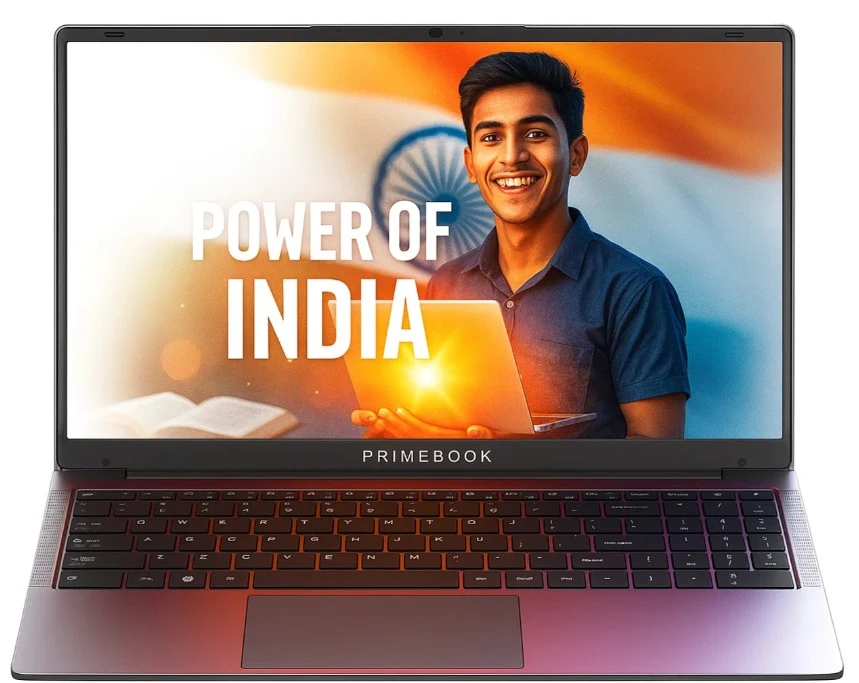
One evening, a boy searched for a smartphone. But what he found shocked him — a full size laptop at the same price. Sounds fake deal or unbelievable, right? But it was golden deal. That laptop was the Primebook 2 Max — an Android-based work partner made for students, freelancers and learners who dream big but think wisely.
Most people spend thousands more only to face low battery or slow speed later. But this one stands tall with 8GB RAM, a 15.6 inch Full HD display and 12 hour strong battery backup. It even has an AI helper to make work faster and simpler. For those searching the best laptop under 30000 or the best budget laptop for students, this is the turning point.
Invest just 2 – 3 minutes here and you will figure out the truth behind this top trending, powerful, Indian made budget laptop and also understand why many buyers regret choosing random cheap laptops, while this one quietly fixes every single mistake with pure brilliance.
TOC
Who it’s for
This laptop is made for students who attend online classes every day, freelancers who work from home or cafés, and anyone tired of slow and weak budget laptops. It is also for people who feel proud to support Made in India products and love Android systems for their easy apps and familiar setup.
With an AI assistant that helps in quick notes and daily tasks, it works like a mini cloud PC in your bag. So, if you need a budget student laptop for studies, projects or side work, this one truly makes life simpler and faster at very affordable price.
Who should skip
This laptop is not for everyone. If you need full Windows software for heavy video editing or gaming, you may feel limited here. It runs on Android, so big desktop apps like Premiere Pro or high end games do not work natively. It is better for online tools, mobile based apps, and light editing through the cloud PC system.
Also, if your work depends fully on large offline programs, this might not fit your daily setup. So, skip only if your world is made of heavy desktop apps and gaming power.
Display & Design
15.6” Full HD IPS
15.6″ Full HD IPS keeps your eyes calm during study or coding time on this powerful budget student laptop. The screen shows clear letters and simple pictures so you do not strain. Bigger pixels and good brightness make text easy to read and lines sharp.
The IPS panel keeps color steady when you look from different angles. This helps when you sit with friends or move the laptop on a table. For long online classes, coding or reading notes, this display gives comfort and helps you work longer without eye tiredness.
Anti glare coating
Anti glare coating stops sun or lamp reflections from hiding the screen view. When you read near a window or in a bright room, light bounces less and words stay easy to read. This helps students who study in daylight and creators who edit pictures outside.
The coating lowers shine so your eyes relax and focus on the task. It works with screen brightness to keep colors honest and contrast clear. Use it in classrooms, cafes or at home and you will not fight reflections while learning or working and enjoy steady reading time.
Windows side by side
A larger 15.6 inch screen makes multitasking easy with two windows side by side. You could watch a lesson on one side and type notes on the other at the same time. For coding – one window shows code while the other shows output or help pages stuff. This saves time and keeps you from switching apps again and again.
The bigger view also helps when comparing files or reading two pages together. For study and work – this layout feels natural and faster and it helps finish homework and projects with less troubles.
Lightweight design
A lightweight design means you carry the laptop with little tiredness between home, class and cafe. The thin body slips into a bag and leaves room for books and charger. For students and freelancers who move a lot, this makes travel simple and less heavy.
You can set it on small tables or laps without trouble. The light weight pairs well with long battery life so you study away from power points comfortably. Overall, it gives freedom to learn and work anywhere with comfort and ease every day, all day.
Performance
Helio G99 Chip
The Helio G99 processor gives true octa core performance, meaning eight smart cores working together up to 2.2GHz speed. It handles apps, multitasking and online classes with ease. You can open tools, switch screens or watch videos without any lag issue.
This chip is built on 6nm design which saves energy and keeps the system cool. For students and freelancers who want quick response time, this power feels perfect. It performs like the best laptop under 30k, made to support study, editing and regular office work with calm and steady speed.
8GB LPDDR4X RAM
It makes switching between tasks fast and smooth. You can open more than 10 tabs, run apps like Docs, Meet or 10 tabs Chrome together. LPDDR4X memory works faster but uses less power which means longer battery life and better response. For online meetings, research or coding, it keeps things light and steady. Many users forget that RAM affects comfort more than processor alone. This setup helps you stay focused and productive, even on busy days filled with learning, browsing or freelancing jobs.
256GB UFS Storage
256GB UFS storage gives faster file access and app install times compared to older eMMC drives. It feels quick when opening photos, saving videos or launching tools. For people who use cloud documents and online storage, UFS gives better read and write speed.
You do not have to wait long for pages or files to load. It’s like moving from a normal road to a smooooth highway. This type of storage makes multitasking simpler and gives your laptop a modern touch that feels fast and future ready.
Expandable Up to 1TB
Sometimes we start with small needs, but later our files, projects and photos grow fast. This laptop gives expandable storage up to 1TB, so you never feel limited. Just add a memory card and continue your journey. It’s flexible and saves you from buying a new laptop too soon.
For students, creators and small business users, this space upgrade feels like breathing room. You can store documents, videos or notes safely without deleting old files. It truly supports your growing needs with simple and secure storage choice.
Mali G57 GPU
The Mali G57 GPU gives balanced graphics for daily work, videos and light gaming. You can play casual games, edit photos or stream online content with bright visuals and clean frames. This GPU supports modern display tech and keeps pictures sharp without delay. It’s not made for heavy PC gaming, but for regular fun and creativity, it’s perfect. The combination of this GPU and CPU gives a fine experience for students and freelancers. The balance of visual quality and battery life makes it worth every bit.
Software – Android 15 PrimeOS 3.0
Android 15
Android 15 on this laptop feels like your phone – just bigger, faster and smarter. You can use all your apps in full screen mode. In short – the system is optimized for heavy multitasking. It’s made to work like a desktop but stays easy like Android. For a laptop for students, this means you get a trusted app world with smooth performance and better productivity in online classes or creative work.
PrimeOS 3.0
PrimeOS 3.0 turns Android into a desktop style setup. You get keyboard shortcuts for fast actions, a file manager for easy storage control and split-screen mode to view two apps together. The cursor support makes it feel just like a PC. You can write notes, manage files or browse with smooth control. It’s the perfect bridge between mobile and desktop use. For learners and freelancers, it brings comfort, freedom and full control for daily tasks in one light and simple system.
Battery
60.3Wh
60.3Wh battery gives up to 12 hours of use, perfect for a full college day or remote work. The battery and efficient chip save power and keep heat low. You can watch lessons, type notes, join video calls, and browse the web. It means fewer charges, more focus and more comfort daily. This makes it a top pick when you want the best battery life laptop. If you do heavy video edits or long gaming, battery time will drop, but for study it stays steady and helpful.
No power anxiety
No power anxiety while travelling. The long battery and fast charging mean you can work on trains, flights or cafés with calm. It charges quickly so short breaks give you more hours. Carry a light charger and you are fine on long trips. This setup fits those who move a lot for study or small jobs. You get freedom to work wherever without hunting for sockets every 3-4 hour. Plan charging breaks and enjoy focus daily.
Practical tip
To get the longest battery time – keep your screen brightness around 50%. It is bright enough for indoor study and clear enough for outdoor shade. Higher brightness drains the battery faster and also warms the laptop slightly. You can turn it up only when watching videos or reading in bright light. Many users forget this small step, but it makes a big change. At half brightness, you easily gain extra one to two hours of use. It’s a smart and simple daily habit.
| Specifications | |
|---|---|
| 💻 Display | 15.6-inch Full HD IPS, Anti-Glare Coating |
| ⚙️ Processor | MediaTek Helio G99 (MT8781), Octa-core up to 2.2 GHz |
| 🎮 GPU | Integrated Mali-G57 |
| 💾 RAM | 8GB LPDDR4X |
| 🧠 Storage | 256GB UFS |
| 💽 Expandable Storage | microSD up to 1TB |
| 🪟 Operating System | Android 15 (PrimeOS 3.0) |
| 🔋 Battery | 60.3Wh — up to 12 hours |
| ⌨️ Keyboard | Backlit + Numeric Keypad |
| 🔊 Audio | Dual Stereo Speakers + Dual Microphones |
| 🌐 Connectivity | 3.5mm Audio, Cloud PC (Windows/Linux) |
| 🤖 AI Features | Global AI Search + Gemini AI Assistant |
| 🛡️ Warranty | 1 Year |
| Check Latest Price | |
| 👉 If today’s price feels good, grab it — you’ll thank yourself later! If not – no stress dear incredible you — just add it to your cart and check back soon. The best deals always find their way back to you. | |
| Note: Specs may vary — please check the retailer’s site before buying. | |
| Disclosure: As an Amazon Associate, we earn from qualifying purchases. If you buy through our links, we may earn a commission at no extra cost to you. | |
Keyboard and Trackpad
Backlit keys
Backlit keys make night work easy and friendly. The keys light up so you see letters clearly in dark rooms. Typing at night for homework, notes or assigments becomes calm and fast. The backlight has levels so you choose soft or bright light. It does not hurt your eyes when set low and you type without mistakes.
For students and freelancers this feature helps during long study hours. Paired with quiet trackpad the laptop feels like a desktop. This feature gives big comfort and suits best budget laptop under 30k buyers.
Numeric keypad
Numeric keypad helps with fast number work like accounts management, marks, scores, Excel sheets or any numbers based management. You press keys quickly and do sums without using on-screen numbers. Students and small businesses enter bills and marks faster.
The keypad has clear keys and enough space so you do not press the wrong number. It feels like a small calculator in the laptop. For long data work this tool makes tasks simple. You save time and make fewer typing mistakes.
Audio, Mic and Camera
Dual stereo speakers + dual microphones
The dual stereo speakers give loud and clear sound from both sides, so voices, songs and videos feel real. You can hear teachers or teammates easily even in a noisy room. Dual microphones catch your voice cleanly and cut background noise during calls.
Together, they help in online meetings and recordings. It feels natural and smooth like talking face to face. These features make it one of the best setups for a laptop for students, content makers and freelancers who study or work online daily.
3.5mm jack
The 3.5mm jack gives you freedom to connect wired earphones or old style headphones anytime. You do not need Bluetooth every time, so it saves battery too. Sound quality through the jack stays strong and real.
It is also helpful when your wireless headset runs out of charge. Just plug in and keep listening or talking. This small port gives peace and flexibility for music, calls and study sessions daily.
Zoom, Google Meet or Teams lectures
This laptop works great for Zoom, Google Meet, and Teams calls. The camera gives a bright picture, the mic sends your voice clear and the speakers help you hear every word properly. It is perfect for students attending daily classes or freelancers joining client calls. You can study, present or teach online with comfort. The system keeps connection steady, so you talk confidently and focus more on what matters.
AI & Cloud Features
AI Global Search
AI Global Search puts one search box on your laptop. Type a word and it looks for files, apps, notes and web answers all at once. It finds class slides, saved photos and apps fast. You do not open folders one by one. The tool shows results in one place so you act faster. For students and freelancers this saves time and makes study and work simpler every day. It also keeps data on device and keeps it private for you.
Gemini AI Assistant
Gemini AI Assistant helps you fast. It reads long text and makes short notes for study. Ask it to explain a topic in simple words and it will reply like a teacher. It helps when you research or do assignments. Use it to check ideas, fix grammar, find examples and deep analysis. The assistant runs on device or cloud and keeps your work private while saving time each day, so you study better and finish tasks quicker.
Cloud PC Access
Cloud PC Access lets you run Windows or Linux on the laptop from the cloud. It loads a full desktop on demand so you use heavy software that Android does not support. For coding, testing or running special apps, this is very helpful.
You connect online and the virtual desktop runs apps smoothly. Think of it as borrowing a powerful PC when you need it. It helps bridge gaps for students and small teams today.
Common slip-ups people do while buying a best laptop under 30000!
Mistake 1
Many people buy laptops because they look shiny or new, not because they fit daily use. Think about how you actually use your device. A light, stable system matters more than just looks. Focus on performance, comfort and battery instead of color or finish.
Mistake 2
Some buyers think every laptop runs Windows software directly. Android based laptops work differently. If you need Microsoft or coding tools, use Cloud PC to access Windows or Linux systems online. It’s simple once set up and gives full desktop control. Many people skip this setup and later get confused. So, before buying, check how your favorite tools work here. Cloud PC fills the gap perfectly for mixed software use.
Mistake 3
Storage fills up faster than you think. Videos, lectures and downloads take space quickly. Many budget laptops, including this one, allow expandable storage through a microSD card. It’s a low cost way to add more space without deleting files. Always check this option when buying a budget laptop for students or freelancers. It gives flexibility to store more and stay worry free. Expandable storage means you never run out of room for your growing needs.
Mistake 4
Late night study or work needs a backlit keyboard. Many people skip it to save money and later struggle in dim light. Backlit keys keep letters visible and reduce typing mistakes in dark rooms. It also adds a modern touch and helps you focus longer. Always check this before purchase. For students and freelancers, this small feature makes big comfort during extended use, especially when studying or working quietly at night.
Mistake 5
When companies say – 12 hours of battery – it means under mixed use — not full brightness and heavy apps. Many buyers miss this detail and expect nonstop power. To get long life, use brightness around 50% and avoid too many open apps. Best laptop gives best battery performance when used smartly. Learn how to balance settings for better endurance.
Mistake 6
Some users turn off the Gemini AI assistant thinking it slows the device, but it actually saves time. It helps summarize notes, explain topics and organize tasks. Instead of searching every question, you can just ask the AI. It works quietly and improves your daily work. Keep it on for quick help, short notes and better learning.
Mistake 7
Many forget to test the mic and speakers before buying. Later, online classes or calls sound weak or unclear. Always read about dual microphones and stereo speakers quality when choosing. They make a big difference in virtual meetings and lectures. Good audio helps you hear and be heard without noise. Clear sound gives confidence during group talks, classes and client calls. Always read this once before finalizing your laptop.
Mistake 8
Cloud PC access is a special feature that connects your Android laptop to a full desktop computer online. Some buyers skip setting it up and later think apps don’t work. Once connected, you can open Windows or Linux software easily. It feels like a full computer inside your laptop. Set it early, save login details and enjoy tools you already know. It makes your device far more powerful and flexible.
Mistake 9
Updates are not just for new looks — they fix bugs, boost speed and keep AI smart. Many buyers ignore them, then face app crashes or battery drain. Always check for system and PrimeOS updates once a month. This makes your laptop faster and more secure. With each update, the system improves. Skipping updates means missing free improvements already designed for your comfort and safety.
Note – Do not worry – these points are just for awareness. This Primebook laptop already fixes all these problems smartly. It’s tested, stable and ready for real-life use. You can go for it without a single second thought.
Setup Tips

First 24 hours
When you first unbox your laptop, charge it fully before starting. Then update PrimeOS 3.0 to the latest version – updates fix small bugs and improve battery use. Turn on AI features like Gemini Assistant and Global Search right away. They help with quick answers, summaries and organizing your study or work material. These small actions make it more stable, smart and ready for daily tasks.
Battery care
Try to keep your charge between 20% and 85% instead of 100 or 0. This habit helps the battery last longer. Do not keep it plugged in all day. The smart chip inside manages charging, but balance keeps it healthy. For daily use, this range is safe and practical. If you travel often, charge fully only when needed. This care method helps your laptop stay powerful and reliable for years.
Organize files
Keep your study and work files neat from the start. Make clear folders for lectures, projects and documents. When you use Google Drive, it automatically saves your notes online. If your laptop resets or you switch devices, your data stays safe.
Syncing also lets you open notes on your phone or tablet anytime. A clean folder system saves time and avoids confusion later. Simple file discipline keeps work calm, easy and always ready.
Configure Gemini AI and Global Search
Spend a few minutes to set up Gemini AI and Global Search for your study or job style. Gemini can summarize topics, explain lessons or make short notes in seconds. Global Search finds files, apps and web results in one box.
Adjust their settings to match your habits. Once done, your laptop feels truly personal and smart. This will help you to stay productive, learn faster and focus on what truly matters.
🔍 Quick Review
Design & Build — 9.7
Display — 9.6
Performance — 9.8
Battery Life — 10
Value for Money — 9.9
PROS
- 15.6” Full HD display with anti-glare.
- Up to 12-hour battery backup.
- Android 15-based PrimeOS for fast performance.
- AI-powered Gemini assistant built-in.
- Expandable storage up to 1TB.
- Comfortable backlit keyboard for night use.
CONS (Minor Ones)
- Not designed for native Windows gaming.
- Integrated GPU limits heavy design or 3D work.
- Needs Cloud PC for running Windows software.
Conclusion

Some wait. Others act. The difference shows six months later. You cannot ignore this fact. As all we know that – every student, parent and freelancer deserves a device that truly supports their goals. This best laptop under 30000 is not just about saving money – it’s about saving time, effort and peace of mind.
Each day you wait, someone else moves ahead using it. Prices may rise soon and missing this moment might hurt later. We never force – we simply care. This guide exists because we want you to win. We share only what brings good for our readers and their families.
Share this with your friends and family – everyone deserves the best budget laptop for their bright future. If still confused? Drop your question below and we’ll guide you like an honest friend. Always remember – right tools make dreams easier – choose smart today, so tomorrow feels proud of you.
FAQ
Can I run Windows apps on Primebook 2 Max?
Not directly. It runs on Android 15 (PrimeOS 3.0). But the good part is, you can access Windows or Linux Cloud PC online. That means you can still use Windows apps virtually through the cloud without buying a Windows laptop. It’s smart and works fine for most users.
Does Primebook 2 Max have a backlit keyboard?
Yes it does. The backlit keyboard helps a lot during night study or dim light rooms. You can see all keys clearly without turning on extra lights. It’s one of those small but very useful features, especially for students or writers who often work late.
What is PrimeOS 3.0?
PrimeOS 3.0 is an android based system made specially for laptops. You get all Android apps but in a desktop-style interface. That means multitasking with split windows, drag and drop files and using mouse and keyboard easily. It’s android but it feels like a proper laptop system.
Does it support external drives and accessories?
Yes you can connect pen drives, external hard disks and even wireless mouse or keyboard. It has all basic connectivity ports including a 3.5mm audio jack. So you can easily use your regular accessories without worrying about compatibility issues.
What accessories should I buy with it?
Just an opinion, not mandatory. Buy a microSD card (for the extra space), a good sleeve or case (for safety) and a wired or bluetooth mouse for comfort. A decent headphone is also useful for online classes. These small accessories make your daily experience smoother and keep your laptop protected.
Every student, every dreamer, every freelancer – your best days start with the tools you trust.
If you want to get some deep insights regarding made in india laptops, you can also read this.

[ Author ] – Safdar Khurshid researches and evaluates consumer electronic gadgets, including smartphones, laptops, accessories, and everyday tech products, with a strong focus on long term usability, real world performance and buying mistakes people often regret later. His work is centered on helping readers understand trade offs clearly, so they know not just what to buy but also what to avoid.


