

You do not buy a monitor every day, so choosing the right one really matters. Many people buy in a hurry and later say, “I wish I checked better.” But do not worry, we will not let that happen to you.
Today, we will walk together and find which Zebronics screen – maybe the zebronics 27 inch monitor, zebronics 32 inch monitor or a curved monitor – fits your world the best. By the end – you will know exactly which one feels made just for you. Then, let’s gooooo!
TOC
Few smart checks to make your choice easy
Desk Space vs Immersion
Big screens look amazing, but they need more space. If your desk is small, a 24-inch flat one fits best. But if you love full-screen feelings like in games or movies, a curved monitor gives that “wow” around you. For long work hours, flat is easy for eyes. For fun and play, curved feels like magic. Always see your room and table first. Then pick the screen that makes you feel happy and relaxed every day.
Panel Type (VA / IPS)
VA panels show deep blacks and soft contrast, great for movie time. IPS panels show bright colors even when you sit from the side. So, if you are a video lover or a monitor for content creators, IPS is your friend. But if you just want cozy movie nights, VA feels nice and rich. Both are good, just see what you do most — work, art or play — and your pick will be clear.
Refresh Rate & Response Time
If you love games, check refresh rate first. 120Hz or 144Hz feels fast and alive. For movies, even 75Hz looks fine. Office work or study? Normal 60Hz is enough. Response time should be low — it makes motion look smooth in games. For a monitor for streamers, fast screen speed keeps fun alive. So, match your screen with your daily life, not with what looks cool in ads.
Brightness and HDR
If your room gets lots of sunlight, pick a bright screen — 300 nitss or more. It helps you see clear even in daylight. HDR makes colors pop more, good for games or shows. For indoor rooms, normal brightness is okay and safe for eyes. Some curved monitors also balance light better. Always think — where will you sit most? Sunny corner or quiet shade? Pick brightness for that spot.
Ports & Connectivity
Before you buy, see what plugs your monitor has. HDMI is common for all laptops and PCs. DP gives higher refresh rates for gamers. VGA is old but still fine for school computers. Audio ports help if your monitor has speakers. A portable monitor mostly has Type-C ports for phones or tablets. Always check what your device needs — one small mismatch can create serious trouble for you or maybe your team.
Ergonomics
A monitor that bends or moves helps your neck stay happy. You can tilt it up or down when light hits your eyes. Some monitors can move higher or lower, so no more sitting like a robot. If it supports a VESA mount – you can hang it on the wall. This saves desk space and looks clean and neat. Always think about how long you sit — comfort is more important than looks.
Built-in Speaker — Yes or No?
Some monitors have small speakers. They are fine for some tasks. But for games, music or movies, you may want separate speakers or headphones. Do not worry if your monitor has no speaker — most people prefer better sound outside. Just see what you use most, then decide. Sometimes, the “no speaker” models have better display quality at the same price.
Visualisation
Before you buy, picture your desk in your mind. Is it small, bright or full of wires? A clean setup looks better with a 24 or 27 inch flat screen. A gamer or video lover can go for curved. A creator can pick a wide one for multitasking. You can even use a portable monitor for travel or extra screen space. Take one photo of your desk, imagine the monitor on it and your choice will be easy — truly yours.
Here come the 6 Zebronics monitors everyone is loving right now!
ZEBRONICS Pure Pixel (ZEB-EA124)
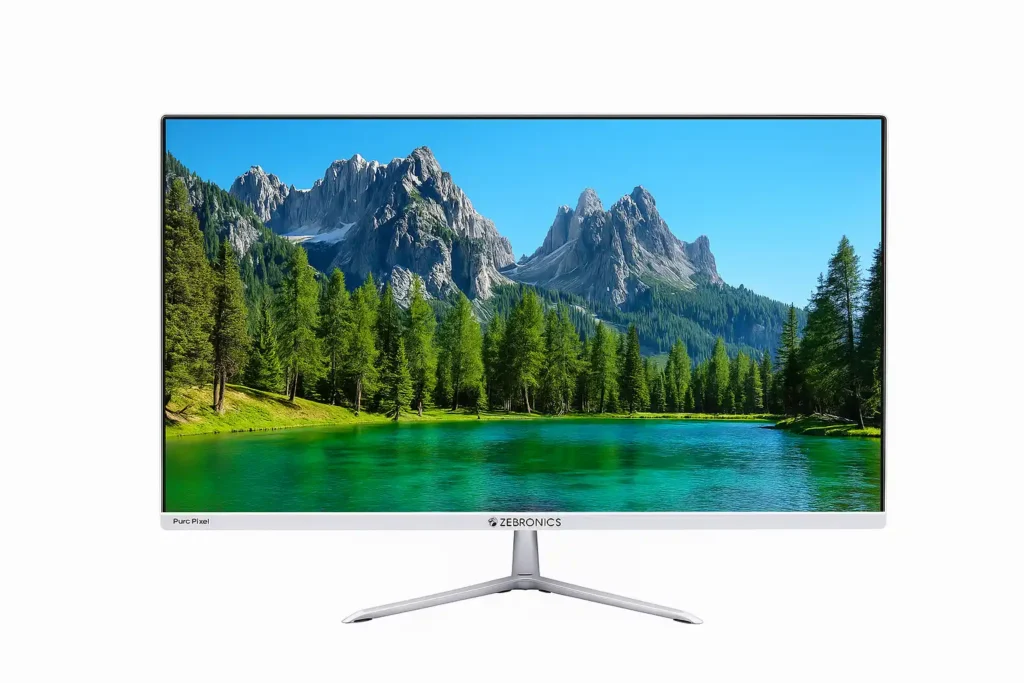
This Zebronics 24 inch monitor is that one screen that feels like a friend on your desk — calm, bright and never tiring. It has a 24 inch wide Full HD screen that shows clear and fresh colors. When you sit to work, study or play, it feels like the pictures are talking softly to your eyes. It is not too small, not too big — just right for home desks and office tables.
The VA panel gives deep colors that look warm and cozy. With 250 nits brightness, you can watch or work even when your room light is strong. It has 100 Hz refresh rate, so fast motion in games or videos looks steady — no strange lines or blinks. And yes, it has built in speakers — not for DJ nights maybe but good enough for YouTube and songs while working.
You can connect it with both HDMI and VGA, so old and new laptops work fine. It also has a wall mount option if you want your desk to look neat and clean. The bezels are thin — so the picture fills the front like a window. The metal stand is strong and helps you tilt or move it to your comfort.
Now here is something many buyers forget that hurt later:
Some people buy it only for gaming and then say, “Oh no, my desk is too small!” Always check your space first.
Some keep brightness too high at night and later complain of eye pain. Please, lower it after sunset.
Some expect loud sound but forget it is a monitor, not a party speaker. You can always plug small desktop speakers if you love big sound.
And yes, a funny one — some people hang it on the wall and then realize they need it near for typing. So plan your setup before drilling holes.
This model is best for families who share one PC, students doing online work and office folks who love neat and tidy tables. It works great for casual gaming and shows colors nicely for YouTube or Netflix. Overall, this one quietly does its job every single day, just like that sweet friend who never shows off but always helps.
| ZEBRONICS (ZEB-EA124) | |
|---|---|
| Display Size | 24″ |
| Panel Type | VA |
| Resolution | FHD (1920 x 1080) |
| Refresh Rate | 100 Hz |
| Response Time | 12 ms |
| Brightness | 250 nits |
| HDR Support | No |
| Ports / Connectivity | HDMI, VGA, Audio |
| Built-in Speakers | Yes |
| Stand / Mount | Metal stand, tilt, wall-mountable |
| Ideal Use | Office, General |
| Unique Feature | Ultra slim bezel, built-in speakers |
| Warranty | 1 Year (carry into service center) |
| Check Latest Price | |
| If today’s price feels good, grab it — you’ll thank yourself later! If not – no stress dear incredible you — just add it to your cart and check back soon. The best deals always find their way back to you. | |
| Note: Specs may vary — please check the retailer’s site before buying. | |
| Disclosure: As an Amazon Associate, we earn from qualifying purchases. If you buy through our links, we may earn a commission at no extra cost to you. | |
ZEBRONICS N27A
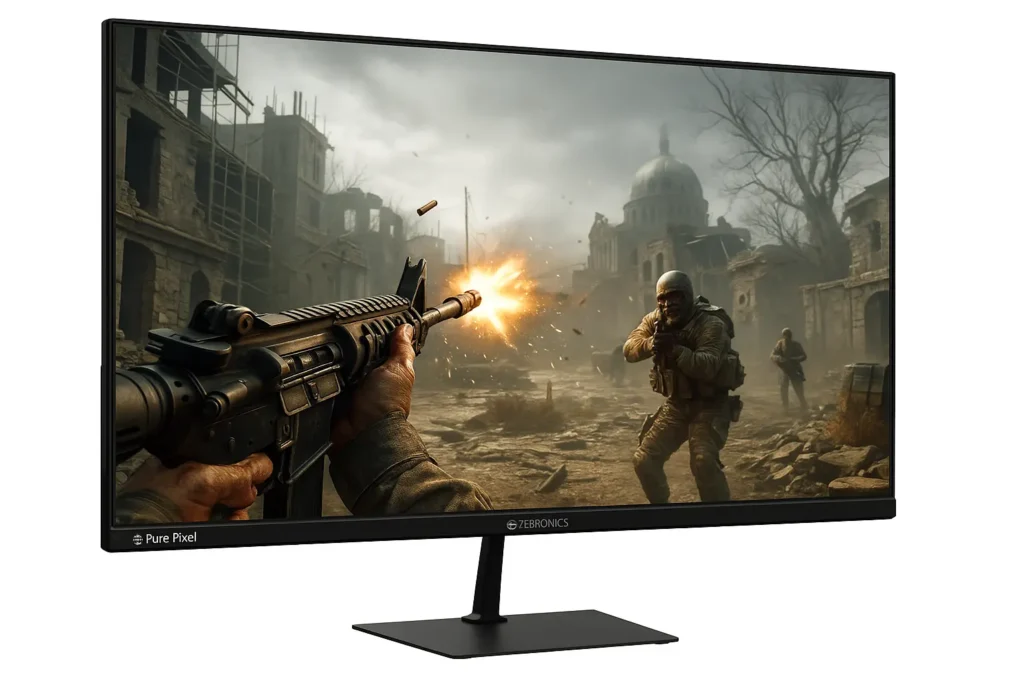
This Zebronics 27 inch monitor feels like a big, kind friend who loves to play games with you all day. It has a 27 inch wide screen that shows every color bright and clear. The picture looks soft and warm, so your eyes do not feel tired even after long play time. The anti glare screen helps stop light reflections. So even if your room light is bright, you can still see the game clearly.
When you play, the 180Hz refresh rate and 1ms speed make everything move super fast and clean. No blur, no delay — just pure fun! The Adaptive Sync helps your game run smooth without those jumpy lines that can spoil your fun. If you like shooting games or racing games, this feature feels like magic.
The IPS Full HD display gives you soft and true colors. Every tiny detail looks clear — even the small dust in the road of your car game or the glow of fire in your battle game. It also has HDR10 and 300 nits brightness which make colors look alive and warm. The 99% sRGB color support helps your eyes enjoy real life shades.
It has has built in speakers — not too loud for sure, but perfect for your daily gaming, music and school videos. The bezel less design makes the screen look wide, so your games feel like they are jumping out. You can connect it with HDMI, DisplayPort or headphone jack. For best picture, you can use a DisplayPort cable.
If you love games and want a best gaming monitor under budget, this one gives everything — fast speed, big size and bright color — all in one screen. Just remember — turn on HDR only when your game supports it, keep your room light low at night and sit at a safe distance. And, if you use blue lens spectacles, then it’s superior well in good. This way, your eyes and heart both stay happy.
So, tell us — do you feel ready to meet a monitor that truly plays with you and for you? Or will you still think about it for the next two days?
| ZEBRONICS N27A | |
|---|---|
| Display Size | 27″ |
| Panel Type | IPS Anti-glare |
| Resolution | FHD |
| Refresh Rate | 180 Hz |
| Response Time | 1 ms (MPRT) |
| Brightness | 300 nits |
| HDR Support | HDR10 |
| Ports / Connectivity | DP, HDMI, 3.5 mm |
| Built-in Speakers | Yes |
| Stand / Mount | Sleek stand, tilt |
| Ideal Use | Gaming / daily |
| Unique Feature | ZGameAid tools, adaptive sync |
| Warranty | 1 Year |
| Check Latest Price | |
| If today’s price feels good, grab it — you’ll thank yourself later! If not – no stress dear incredible you — just add it to your cart and check back soon. The best deals always find their way back to you. | |
| Note: Specs may vary — please check the retailer’s site before buying. | |
| Disclosure: As an Amazon Associate, we earn from qualifying purchases. If you buy through our links, we may earn a commission at no extra cost to you. | |
ZEBRONICS S27B
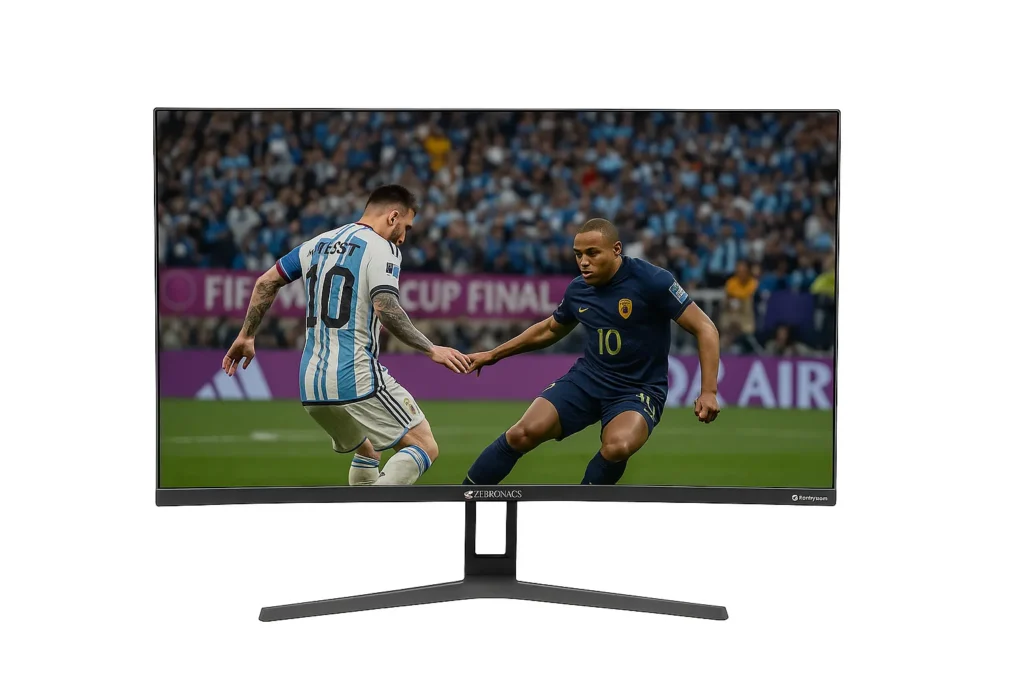
Say hello to your new desk buddy — Zebronics S27B, this Zebronics 27 inch monitor that feels like a mini movie hall right on your table. Its curved design gently wraps your view, so when you play or watch something, it feels like you are inside the scene. No kidding – even your game car turns feel real.
The Full HD screen shows every tiny color nice and clear. The VA panel brings warm, deep shades — perfect for those who love bright mornings and cozy movie nights. With HDR10, even the sky in your game looks shiny and alive. And guess what — the screen has 300 nits brightness, so it glows nicely even when your room light is strong.
Now, for gamers – The 180Hz refresh rate and 1ms response time mean your game moves fast like lightning. No blur, no delay — only smooth moves and happy wins. You can even play those fast racing games where every second matters. Plus, the AMD Free Sync keeps your screen from shaking or tearing, so everything feels steady and peaceful.
And yes, it has inbuilt speakers, no need to plug those messy wires around your table! The sound is clean enough for your movies, songs and chill time. Want to connect your setup? You get HDMI, DP and VGA ports — it is like a buffet for your cables.
The screen looks frameless and slim like a neat painting. You can even hang it on the wall to save desk space or just keep it standing proud on your table, looking cool. This best gaming monitor is not only for games — you can also use it as a multitasking monitor for school projects, Netflix breaks or YouTube fun. Sit a little far (about an arm’s length) and the 1500R curve will give you the most cozy view.
So, if your eyes love colors, your hands love gaming and your heart loves peace — this curved screen might just become your new favorite buddy.
| ZEBRONICS S27B | |
|---|---|
| Display Size | 27″ (Curved) |
| Panel Type | VA (Curved) |
| Resolution | Full HD (1920×1080) |
| Refresh Rate | 180 Hz |
| Response Time | 1 ms |
| Brightness | 300 nits |
| HDR Support | HDR10 |
| Ports / Connectivity | DP, HDMI, Audio |
| Built-in Speakers | Yes |
| Stand / Mount | Curved Stand, Tilt Adjustable |
| Ideal Use | Gaming / Immersive Experience |
| Unique Feature | Curved 1500R Wrap Effect |
| Warranty | 3 Years (Carry into Service Center) |
| Check Latest Price | |
| If today’s price feels good, grab it — you’ll thank yourself later! If not – no stress dear incredible you — just add it to your cart and check back soon. The best deals always find their way back to you. | |
| Note: Specs may vary — please check the retailer’s site before buying. | |
| Disclosure: As an Amazon Associate, we earn from qualifying purchases. If you buy through our links, we may earn a commission at no extra cost to you. | |
ZEBRONICS IGM 106 or N30A

This Zebronics 30 inch monitor is not just big, it is beautifully wide. When you sit in front of it – it feels like the game is hugging you from all sides. Its curved shape pulls you right inside the screen making every match, every scene and every moment look super real.
The ultrawide WFHD monitor gives a bright and clear view with 300 nits of brightness. Whether you play games, edit videos or watch shows – every color looks alive and full of energy. And with 99% sRGB and HDR10, you can see small details that normal screens miss. It is like your eyes finally got a real treat.
Dear Gamers, listen up — with a 200Hz refresh rate and 1ms response, your games will run fast and smooth like butter on hot toast. No blurrr, no lag and no that ‘wait what just happened’ moments, just pure fun. Everything moves fast and smooth. The Adaptive Sync keeps your game steady, so the screen never tears or shakes during big fights or races.
You can also adjust the height, tilt and swivel easily. So, no more neck pain while working long hours or streaming. You can turn the monitor the way you want — your comfort, your control. And if you want your setup to look clean, it even has a wall mount option.
One more cool part — the ZGame Aid. It adds special tools like crosshair and timer, perfect for gaming pros. Plus the ambient lighting on the back gives your room a cozy glow (just a completely wowww feeling) when you play at night. It feels relaxing and cool at the same time.
And wait — it is not just for gamers. Multitaskers love it too. The Picture in Picture (PiP) feature lets you do two things at once — like watching a stream while editing & chatting. So, if you ever wanted a screen that feels alive that makes work and play exciting, the Zebronics N30A is your buddy.
| ZEBRONICS IGM 106 | |
|---|---|
| Display Size | 30″ (UltraWide) |
| Panel Type | VA (WFHD / UltraWide) |
| Resolution | WFHD (2560 × 1080) |
| Refresh Rate | 200 Hz |
| Response Time | 1 ms |
| Brightness | 300 nits |
| HDR Support | HDR10 |
| Ports / Connectivity | 2 × DP, 2 × HDMI |
| Built-in Speakers | Possibly (Check Model Variant) |
| Stand / Mount | Adjustable Stand / Tilt |
| Ideal Use | Ultra-wide Multitasking / Gaming |
| Unique Feature | UltraWide WFHD + Ambient Features |
| Warranty | 1 Year (Carry into Service Center) |
| Check Latest Price | |
| If today’s price feels good, grab it — you’ll thank yourself later! If not – no stress dear incredible you — just add it to your cart and check back soon. The best deals always find their way back to you. | |
| Note: Specs may vary — please check the retailer’s site before buying. | |
| Disclosure: As an Amazon Associate, we earn from qualifying purchases. If you buy through our links, we may earn a commission at no extra cost to you. | |
Zebronics AC32FHD LED
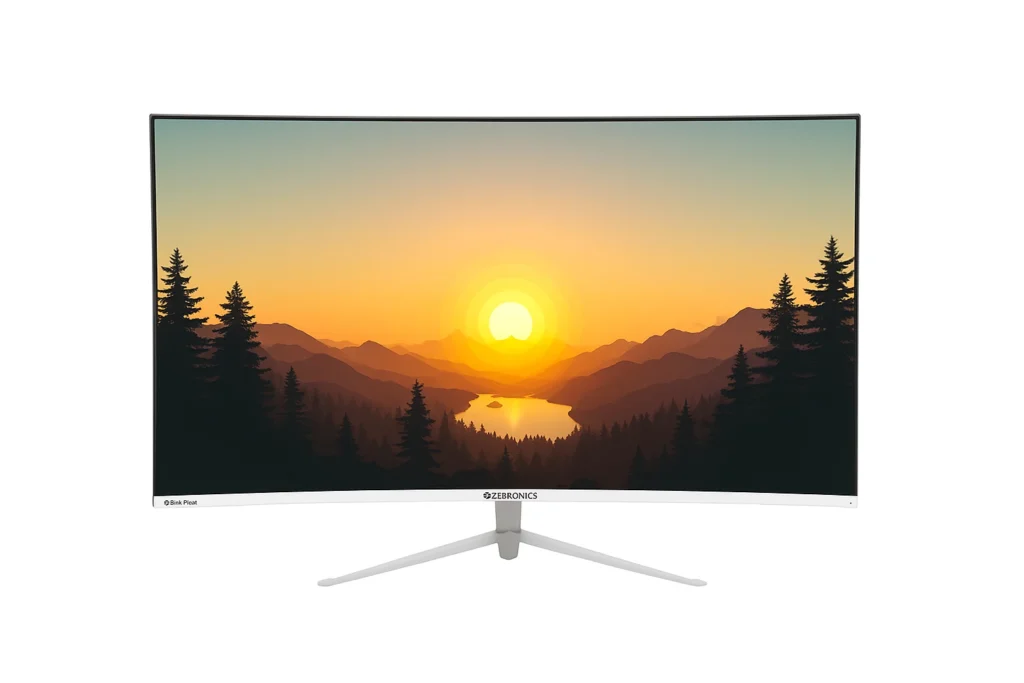
You switch on this Zebronics 32 inch monitor and your reaction – ohh wait a moment, such an amazing visuals. Your room feels brighter and cooler at the same time. The wide curved shape feels cozy for your eyes. You do not have to twist your neck or squint anymore. Everything looks wide, soft and peaceful.
This curved monitor is full HD which means all your videos and games look clean and colorful. No dull corners, no fuzzy pictures — just clear joy. The 16:9 shape makes you feel like you are watching from inside the scene, not outside. And yes, your favorite cartoon or match looks ten times more alive here.
Now, let us talk about speed. The 75Hz refresh rate may sound like a boring number, but in real life, it means – no lag, no wait. Every move, every scroll, every jump in your game feels quick and smooth. And that 8ms response time? It is like your screen is reading your mind before you even click.
It has also built in speakers, so you can enjoy music, YouTube or class videos without hunting for headphones. The sound is clear enough to fill your small room with good vibes. You can even mount it on your wall or keep it on the metal stand. The design is simple, clean and classy — it makes your desk look more grown up (but in a fun way).
And here is a sweet truth — this monitor is not just for gamers only. It is great for school work, online shows and family movie nights. Whether you are studying, gaming or watching videos, it gives you comfort, not strain.
So if your old screen is boring or tiny, maybe it is time to say, “Thank you, next.” Because this one does not just show pictures — it helps you enjoy life on screen.
| Zebronics AC32FHD LED | |
|---|---|
| Display Size | 32″ (Curved) |
| Panel Type | VA (Curved) |
| Resolution | FHD (1920 × 1080) |
| Refresh Rate | 75 Hz |
| Response Time | 8 ms |
| Brightness | 250 nits |
| HDR Support | No |
| Ports / Connectivity | HDMI, VGA |
| Built-in Speakers | Yes |
| Stand / Mount | Metal stand, tilt |
| Ideal Use | Large screen for home + media |
| Unique Feature | Big curved screen in budget |
| Warranty | 3 Years (carry into service center) |
| Check Latest Price | |
| If today’s price feels good, grab it — you’ll thank yourself later! If not – no stress dear incredible you — just add it to your cart and check back soon. The best deals always find their way back to you. | |
| Note: Specs may vary — please check the retailer’s site before buying. | |
| Disclosure: As an Amazon Associate, we earn from qualifying purchases. If you buy through our links, we may earn a commission at no extra cost to you. | |
ZEBRONICS IGM 107, N34A

This Zebronics 34 inch monitor lights up your world like a movie screen. Big, curved, bright and alive — that is how it feels. This monitor comes with a WQHD display, which means super clear and rich colours. Every mountain peak, car light or game character looks sharp and full of life. With 350 nits brightness and HDR10, even dark scenes glow like real night lights. And guess what? It shows 99% sRGB and 92% DCI-P3 colours — like giving your eyes a colorful party.
For gaming fans, it is super fast. With 180 Hz refresh rate and 1 ms response time, you will not miss a single move. That is why people call it one of the best gaming monitors under budget. Now let’s talk about shape — that lovely curved body feels like a mini theatre. You can see more without moving your head too much.
And the anti glare screen means no eye pain even if you play or watch for long hours. The design is ultra wide with 21:9 aspect ratio, so multitasking becomes easy: video editing, gaming or chatting all at once. It has 2 HDMI ports, 2 DP ports and a headphone jack, so no cable fight behind your desk.
You can also mount it on the wall or tilt and adjust it your way. Plus it has a tiny headphone stand and ambient lights at the back – little things that make your setup look fancy but friendly. And wait — for gamers, there is a cool feature called ZGameAid. It helps you track time, focus better and feel more in control. Feels like your monitor is cheering for you.
So next time someone tells you monitors are boring, just smile and show them this just wow curved beauty. Because once you use it, there is no going back to flat screens.
| ZEBRONICS IGM 107 | |
|---|---|
| Display Size | 34″ (Curved) |
| Panel Type | VA (Curved) |
| Resolution | WQHD (3440 × 1440) |
| Refresh Rate | 180 Hz |
| Response Time | 1 ms |
| Brightness | 350 nits |
| HDR Support | HDR10 |
| Ports / Connectivity | 2 × DP, 2 × HDMI |
| Built-in Speakers | Yes |
| Stand / Mount | Adjustable / Mountable Stand |
| Ideal Use | For Creators, High Resolution Gaming |
| Unique Feature | 99% sRGB, Wide Color Gamut |
| Warranty | 1 Year (Carry into Service Center) |
| Check Latest Price | |
| If today’s price feels good, grab it — you’ll thank yourself later! If not – no stress dear incredible you — just add it to your cart and check back soon. The best deals always find their way back to you. | |
| Note: Specs may vary — please check the retailer’s site before buying. | |
| Disclosure: As an Amazon Associate, we earn from qualifying purchases. If you buy through our links, we may earn a commission at no extra cost to you. | |
Note – We have explored 6 amazing Zebronics monitors and each one has its own strength. Every model is best in its own way. Each choice will truly be worth it.
Real Buyer Mistakes While Picking Monitors
Biggest Size
Many people see a big monitor and say – wow, I want that. But later they find it does not even fit on their desk. So before you buy, take a small ruler or tape and measure your table space. Also, think how far you will sit from the screen. A 27 inch or 34 inch monitor needs more space and distance. So measure first, buy later and save yourself from a funny struggle of pushing your monitor every five minutes.
Ignoring ports
Sometimes people forget to see the ports and later shout, ‘Where do I plug my stuff in?’ Before you buy, check if the monitor has enough HDMI & Display port slots. If you plan to connect your gaming PC, laptop or TV box, you will need more than one. A small look at the back side of the monitor can save you many connection headaches later.
Higher Hz
Many people think ‘more Hz’ means ‘better movies visuals.’ But that is not true. Movies look perfect even on (60 to 120) Hz screens. Higher refresh rates like 144Hz & 180Hz only help in fast gaming. So if you love movies more than games, you can save money and still enjoy smooothy (delightful) visualsss . So, always keep your focus on picture quality not just numbers.
Glossy Screens
A glossy screen may look shiny in the shop but turns into a mirror in bright rooms. You will start seeing your own face instead of your game. So if you play or work in a sunny room, go for anti glare or matte screens. They cut reflections and protect your eyes. Your future self will thank you for this smart choice.
Overlooking ergonomics & VESA mounting
A fixed monitor may hurt your neck or back after some time. So before you buy, check if it can tilt, turn or mount on a stand. You can even look for the VESA mount option — it helps you attach it to an arm or wall. When your monitor matches your comfort, your body feels happy and your work feels light and painless.
Built in speakers
Many people think built-in speakers will sound like home theater systems. Sorry, not true. Monitor speakers are fine for small sounds but weak for deep bass. If you love loud music or gaming effects, plan for a good external speaker or headset. It makes your world more alive and exciting.
Buying curved monitors
Curved monitors look cool, right? But on a tiny desk, they feel like a big wave coming at you. If your table is small, flat screens are a better fit. If you still want curved, try it once in a store. See if your eyes feel comfy. The goal is to enjoy your time — not feel like your screen is sitting in your lap.
Ignoring this important pairing
Your monitor and PC are like best friends — they must match! If your PC or graphics card (GPU) is not strong, it cannot handle a big 4K or 180Hz monitor well. The result? Lag, delay or dull colors. So check your PC power before you buy. Matching both gives you the best view and smooth play.
Missing warranty or service location
Some people skip checking service centers and regret it later. Before you pay, search online for nearby service or repair centers of that brand. If anything goes wrong, you will get quick help. It saves time, stress and money in the long run. A smart check now is better than a long wait later.
Falling for flashy specs
Those shiny specs and numbers can make anyone excited. But real truth comes from verified buyers. Always read 3 – 5 real user reviews of the same model. You will know what works and what does not. It helps you buy with heart and mind and that is the best kind of shopping.
Small things we skip today become big “oops” later!
Ambient Lighting Feature
When you operate in a dark room, the bright monitor light can hurt your eyes after some time. But there is a small hero called ambient light — a soft LED strip behind your monitor. It makes the wall glow gently, so your eyes feel calm. You can even match the color with your mood — blue for focus, yellow for rest. It is one of the best little add-ons to your gaming setup that gives comfort and style together.
PiP and PbP
Do you want 2 screens but do not have space or money for another? Then you can try PiP (picture in picture) or PbP (picture by picture) mode. These let you open two screens inside one monitor. For example – you can watch a video on one side and do another task on the other. Cool, right? It saves money and makes work or gaming so much easier on an ultrawide display.
Joystick control
You know those long menus that make you click a hundred buttons? Boring, right? A monitor with a small joystick button at the back makes it super fast. You just move it up, down or side to side to change brightness, colours or game mode. No need to search hidden menus again and again. Once you try it, you will never want the old button system again.
21:9 wide screen
If you ever struggle with big excel sheets or long lists, this one is for you. Read it carefully. A 21:9 ultrawide monitor gives extra space on both sides, so you can see more rows and columns together. No more clicking left and right every second. It is like opening your window wider — you just see more and work faster. It is also great for watching movies that look extra wide and fun.
Built in headphone hanger
Messy tables can make your brain feel messy too. Many new monitors now come with a headphone hanger and cable clip at the back. You can hang your headphones and wrap extra wire neatly. Your desk looks clean, your mood feels light and you always find your things easily. It may look like a small thing but it really helps when you work or game every day.
Easy daily tricks to use your screen like a pro
Desk height
We like to sit tall but not stiff. Put the top of the screen a little below your eye line. Your neck stays comfy then. If you use a zebronics monitor, lift it with a small stand & books. Keep your feet flat and your back straight. Use a chair that holds you nicely. Change pose every 30 minutes. Tiny moves keep your body happy. Joke: do a tiny stretch like a sleepy cat.
Ideal viewing distance
We should keep a safe gap from the screen. For 24 – 27 inch sit one arm away. For 30 – 34 inch sit two arms away. For big curved screens – sit a bit closer so the curve wraps you. If you sit too close – your eyes get tired. If you sit too far – you miss details. Make a small test: cover one eye and check if letters are clear. Move a little until it feels easy on eyes.
Color calibration basics
We use the screen’s easy color modes. Pick Movie, Game or sRGB in the menu. For art or editing, use the monitor for content creators mode if there is one. Do not make colors too bright. Use the warm or normal tone at night. Try a test picture and pick the mode that looks real to you. If you feel unsure, choose Standard. It keeps skin colors normal.
Display mode settings
We pick modes for what we do. For fast games choose Game or high refresh. For movies pick Movie or HDR. For study or office pick Text or Standard. If you stream, a monitor for streamers mode helps show chat and game together. Turn on low blue light at night. Keep motion blur off for films and on for pro play.
Brightness adaptation
Daytime needs more light. Raise brightness a bit when sun comes in. Night time needs less. Lower the screen and turn on warm tone. This is one of the best anti glare display benefits — less glare and less eye strain. Use auto brightness if the screen has it. A soft room light also helps. Do not make the screen like a mini sun at night — your eyes and pillow won’t like it.
Conclusion
Life moves fast — your screen should match that pace. The Zebronics monitor does not just show pictures, it shapes how you see, learn and create every day. It is not only about sharp visuals or strong design, it is about how it supports your dreams, ideas and time spent online. It helps you focus, express and grow — without limits.
Think about it — how much of your life happens on a screen? How many hours do you spend creating, watching or learning? Is your monitor helping you grow or just filling space on your desk?
Your choice today decides how your eyes, mind and time will feel tomorrow. Choose wisely. Choose what makes your screen time truly meaningful. Choose Zebronics monitors — and then share your reason, your choice and your change with others. Let them start thinking too.
FAQ
Which Zebronics monitor is best for gaming?
N27A or S27B suits gamers because they have high refresh rates (180Hz) and very low response time. These features make games look smooth and reduce motion blur. If you like curved view – pick S27B for a more immersive feel.
Can I wall-mount these monitors?
Answer: Many Zebronics models are wall mountable (check product page). If the model lists ‘wall-mountable’ or having VESA specs, you can use a VESA mount. Measure space and buy the correct VESA bracket to fit your wall safely.
Do built in speakers replace external speakers?
Built in speakers are useful for quick audio but usually lack deep bass and volume. For movies or gaming, a small external speaker or soundbar is better. Use built in speakers for casual use or when space is tight.
Is a curved monitor better than flat?
Curved monitors feel more immersive and help your eyes watch the whole screen. They work best when you sit centered and a bit close. For small desks, a flat monitor may be easier. Try both if possible, then choose.
What does MPRT 1ms mean?
MPRT (moving picture response time) is a measure of motion clarity. 1ms MPRT means less blur during fast motion. Gamers like 1ms because it makes fast game action look very clearer.
Should I buy a monitor with warranty or extended warranty?
Always check standard warranty. If you use the screen heavily, an extended warranty may save repair costs later. Check service center availability in your city before buying extended plans.
Good vision starts with good screens — choose the one that cares for your eyes and your time.
Also explore this if you are not familiar with the term monitor, it can teach you completely.

[ Author ] – Safdar Khurshid researches and evaluates consumer electronic gadgets, including smartphones, laptops, accessories, and everyday tech products, with a strong focus on long term usability, real world performance and buying mistakes people often regret later. His work is centered on helping readers understand trade offs clearly, so they know not just what to buy but also what to avoid.