


TOC
Introduction
Coding feels like a small word, but we all know it shapes the whole world now. Every app, every game, every website comes from code. So selecting the best laptop for coding and programming is not an easy task. It needs a calm mind, some thinking and good research.
Many students buy laptops by listening to random advice and many people buy in hurry and later say – Oh no… I should have checked more. We do not want you to feel that. Right now, you need the right help. You need someone who talks with you in easy words… who thinks about your future… who explains things that shops never tell.
So stay with us. Read till the end. You will feel something inside you — like you finally know what to choose, and finally know you are moving in the right direction.
You Should Check These Top Models of Best Laptop For Coding and Programming
ASUS Vivobook 15
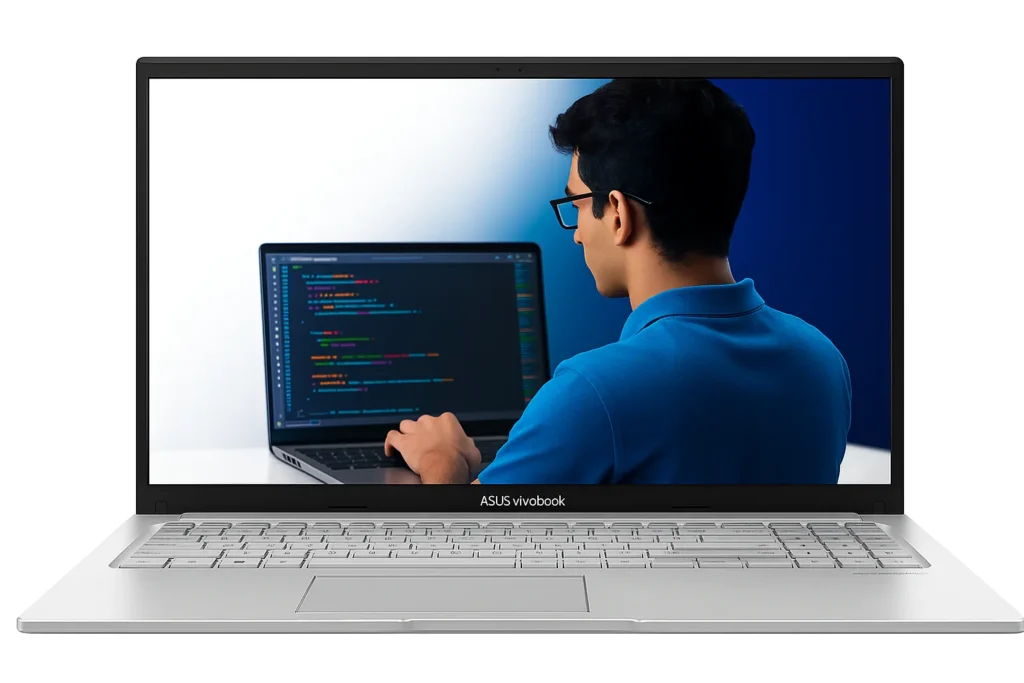
This ASUS Vivobook 15 feels like a friendly device for people who want a fast start in coding and daily work. It has the Intel Core i3 1315U chip which handles multi tab browsing, VS Code, light Python work, small projects and online classes in a steady way.
The 12GB RAM gives enough space for daily heavy multitasking – so your tabs, tools and notes stay open together. If someone searching a best laptop for college students or developer for coding and programming will like this balance because it gives comfort, speed and long life at the same time.
The 512GB NVMe SSD is fast, so boot time feels short and app loading feels quick. You will not wait long when you open a project or switch between browser and editor. The display is 15.6 inch FHD with anti glare which helps when you work near windows or bright rooms. The 45% NTSC is normal for this price and is fine for coding, study work, online tasks and day to day web tools.
It weighs around 1.7 kg which many people can carry in a backpack for college, office or coaching. The ErgoSense keyboard gives a soft typing feel for long hours of code writing or note making. The backlit keyboard also helps late night work. The 720p camera with a privacy shutter feels safe for online meetings, daily classes and calls.
You get WiFi 6E, HDMI, USB C, multiple USB A ports and a 3.5mm jack, so connecting your devices is easy. The 42Wh battery gives around 4 – 6 hours based on brightness and work type. For long travel or full day college, keep a charger in your bag.
Overall, ASUS Vivobook 15 offers a smooth path for learners, beginners, shop owners and young coders who want a device that feels easy and helpful in daily life.
| Specifications | |
|---|---|
| ⚙️ Processor | Intel Core i3-1315U (6 Cores, 8 Threads, 1.2 GHz Base, Up to 4.5 GHz, 10MB Cache) |
| 💻 Display | 15.6″ FHD (1920×1080), 16:9, 60Hz, 250 nits, 45% NTSC, Anti-Glare, 84% Screen-to-Body Ratio |
| 💾 RAM | 12GB DDR4 |
| 🧠 Storage | 512GB M.2 NVMe PCIe 4.0 SSD |
| 🎮 Graphics | Integrated Intel UHD Graphics |
| 🪟 Operating System | Windows 11 Home + Office Home 2024 + Microsoft 365 Basic (1 Year / 100GB Cloud) |
| 📡 Connectivity | Wi-Fi 6E (802.11ax), Bluetooth 5.3 |
| 🔌 Ports | USB 2.0 ×1, USB 3.2 Gen1 Type-C ×1, USB 3.2 Gen1 Type-A ×2, HDMI 1.4, 3.5mm Combo Jack, DC-in |
| 🎧 Camera & Audio | 720p HD Webcam with Privacy Shutter + Built-in Speakers |
| 🔋 Battery & Weight | 42Wh 3-cell Li-ion Battery; 1.7 kg Thin & Light Design |
| 🛡️ Warranty | 1 Year |
| Check Latest Price | |
| 👉 If today’s price feels good, grab it — you will thank yourself later! If not – no stress dear incredible you — just add it to your cart and check back soon. The best deals always find their way back to you. | |
| Note: Specs may vary — please check the retailer’s site before buying. | |
| Disclosure: As an Amazon Associate, we earn from qualifying purchases. If you buy through our links, we may earn a commission at no extra cost to you. | |
Lenovo IdeaPad Slim 3
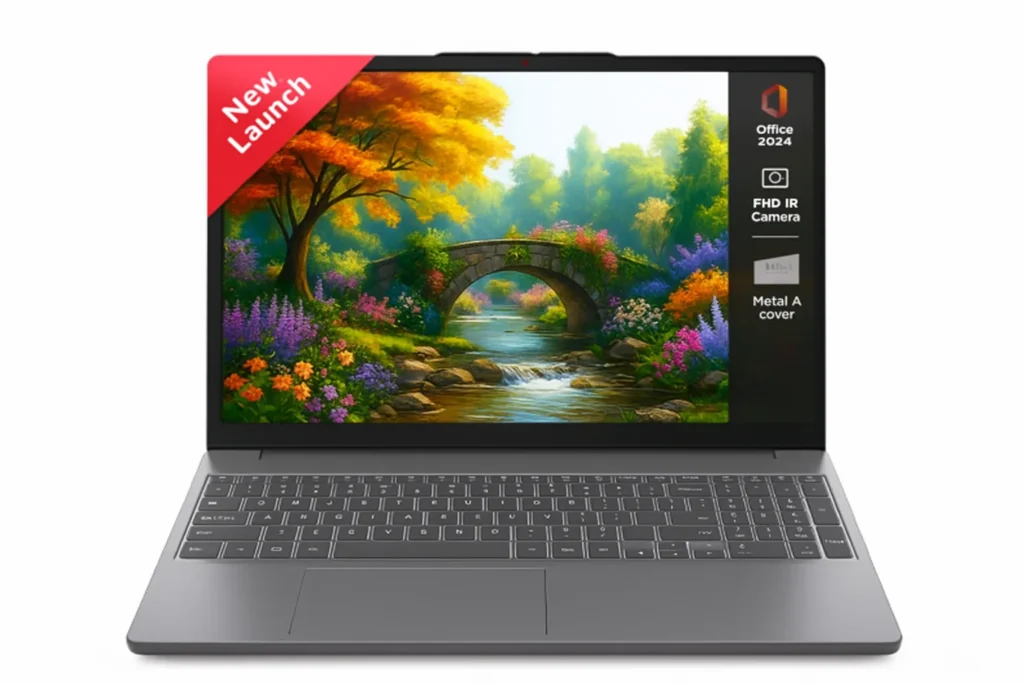
Regarding a top laptop for programmers, this one also stands out. It feels fast from the first click because the Intel i5 13420H has strong power for writing code, testing apps, opening many tabs, and running tools side by side. You get 8 cores and that means the laptop can handle many tasks together. For college students, new coders, shop owners or office workers, this gives enough strength for daily work, learning and long study hours.
The 15.3 inch WUXGA screen looks sharp with 300 nits brightness, so you read long code lines, watch classes or check project layouts with ease. The anti glare layer helps when light hits from windows or tube lights. It stays friendly on the eyes even after long hours. The low blue light tag helps during late night coding or study time.
The part that shocks most buyers is the 24GB DDR5 RAM. This is a huge win. Apps open fast, Chrome handles many tabs and coding tools like VS Code, PyCharm, Android Studio or big Excel files run well. Storage is also strong with 1TB SSD. You can save projects, videos, office files and still have space left. It also helps the laptop boot fast and stay ready in seconds.
Build quality feels nice too. The laptop is thin, light at 1.59 kg and feels easy to carry for class, office or travel. The backlit keyboard helps in dim rooms and the touchpad feels steady. Ports like USB C, HDMI and card reader cover all needs — meetings, projectors or extra screens.
Battery life around 50Wh stays fair for coding, classes and movies. Rapid Charge helps when you are in a hurry. Overall this model gives strong speed, plenty of memory and a nice screen — a safe pick for anyone who wants steady daily work and long term growth.
| Specifications | |
|---|---|
| ⚙️ Processor | Intel Core i5-13420H (8 Cores, 12 Threads, 2.1GHz Base → 4.6GHz Max, 12MB Cache) |
| 💻 Display | 15.3″ WUXGA (1920×1200), IPS, 300 nits, Anti-Glare, TÜV Low Blue Light Certified |
| 💾 RAM | 24GB DDR5-4800 (8GB Soldered + 16GB SO-DIMM) |
| 🧠 Storage | 1TB M.2 2242 PCIe 4.0×4 NVMe SSD (Dual M.2 Slots) |
| 🎮 Graphics | Integrated Intel UHD Graphics |
| 🎧 Camera & Audio | FHD 1080p Webcam with Privacy Shutter + 2×2W Stereo Speakers (Dolby Audio) |
| 🔋 Battery | 50Wh Battery with Rapid Charge (15 min → 2 hrs runtime), Up to 14.5 hrs video playback |
| 🔌 Ports | USB-A ×2 (3.2 Gen1), USB-C ×1 (PD 3.0 + DP1.2), HDMI 1.4, 3.5mm Combo Jack, Card Reader, Power Connector |
| 🏗️ Build & Design | 1.79 cm Thin, 1.59 kg Light, Backlit Keyboard, Aluminium Top + PC-ABS Bottom |
| 🛡️ Durability | MIL-STD-810H Certified (Temp, Shock, Vibration) |
| 📅 Warranty | 1 Year |
| Check Latest Price | |
| 👉 If today’s price feels good, grab it — you will thank yourself later! If not – no stress dear incredible you — just add it to your cart and check back soon. The best deals always find their way back to you. | |
| Note: Specs may vary — please check the retailer’s site before buying. | |
| Disclosure: As an Amazon Associate, we earn from qualifying purchases. If you buy through our links, we may earn a commission at no extra cost to you. | |
HP Smartchoice Victus
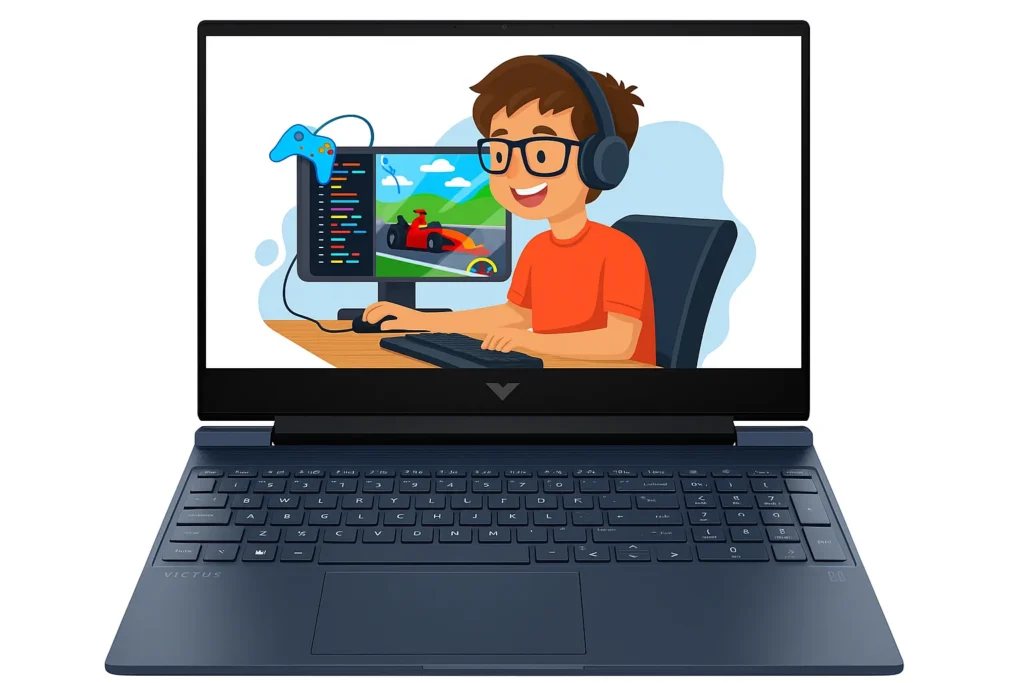
This HP Smartchoice Victus feels like a strong partner for anyone who wants steady power for long hours of coding, app testing or learning new tools. The AMD Ryzen 7 7445HS gives fast response in daily work and it feels ready even when you open many tabs, run code checks or switch between tasks.
It never feels slow in coding work and it holds well for long study nights. Regarding the best laptop for cs students, many buyers pick this because it supports both study and early career projects.
You get 16GB DDR5 RAM which helps a lot when you open heavy browser windows, run Python files, test apps or join online classes. 512GB SSD keeps your files and software ready in seconds. You can save lectures, videos, notes and still have plenty of space. It also helps the laptop open fast after you press the power button.
Screen is 15.6 inches with FHD quality, 144 Hz, IPS and 300 nits 🔆 brightness. This looks good for reading long code lines, checking layouts or watching class videos. The colours stay steady even when you move your head slightly which helps when you sit for many hours. Anti glare also supports bright rooms, so you do not feel eye strain quickly.
The RTX 2050 helps in many tasks like light game breaks, 3D work for students or tools that need graphics push. It is not only for games — some coding tools work faster with GPU help. The build feels strong with a backlit keyboard that helps during quiet late night tasks. It weighs around 2.29kg, so it feels slightly heavy but still okay for home, office or hostel tables.
Battery life is fair for a gaming level laptop. Fast charge helps when you need quick power. The camera stays steady for meetings, classes or team calls. In short – this model suits coders, engineering students, young developers and anyone who needs strong everyday work power.
| Specifications | |
|---|---|
| ⚙️ Processor | AMD Ryzen 7 7445HS (High-performance gaming CPU) |
| 🎮 Graphics | NVIDIA GeForce RTX 2050 — 4GB Dedicated GPU |
| 💻 Display | 15.6″ FHD (1920×1080), IPS, 144Hz, 300 nits, Anti-Glare |
| 💾 RAM | 16GB DDR5-5600 (Expandable) |
| 🧠 Storage | 512GB SSD |
| 🪟 Operating System | Windows 11 Home + MS Office 2024 + Microsoft 365* |
| 📷 Camera | HP Wide Vision 720p HD Camera with Temporal Noise Reduction |
| ⌨️ Keyboard & Design | Full-size Backlit Keyboard (Numeric Keypad); Performance Blue with Chrome Logo |
| 🔋 Battery & Charging | Fast Charge: 50% in 30 minutes |
| 📡 Connectivity Features | Wi-Fi 6, Bluetooth, Support for external displays & accessories |
| 🛡️ Warranty | 1 Year |
| Check Latest Price | |
| 👉 If today’s price feels good, grab it — you will thank yourself later! If not – no stress dear incredible you — just add it to your cart and check back soon. The best deals always find their way back to you. | |
| Note: Specs may vary — please check the retailer’s site before buying. | |
| Disclosure: As an Amazon Associate, we earn from qualifying purchases. If you buy through our links, we may earn a commission at no extra cost to you. | |
Dell 15
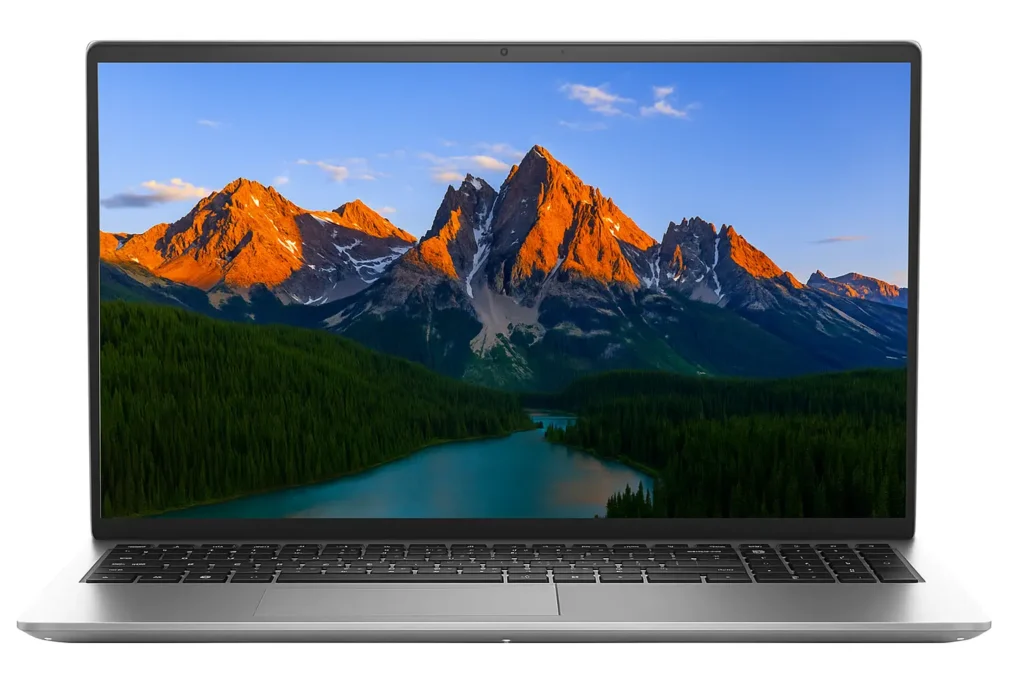
It comes with an Intel Core i5 1334U which gives fast response when you open many tabs, run code checks or switch between apps. It keeps your flow steady even on busy days. Many readers who need best laptops for software engineers often place this model in their top list because it feels dependable for both learning and real world coding tasks.
You get 16GB DDR4 RAM and this helps a lot when you open heavy browser windows, keep VS Code running, join online classes or test small programs. It avoids sudden slow moments and keeps the laptop ready when you move from one task to another. The 512GB SSD supports fast boot, quick app launches and long term storage for notes, videos, tools and offline content.
The 15.6 inch FHD screen with 120Hz refresh rate feels easy on the eyes for long hours of reading code or documents. Dell ComfortView also lowers blue light which helps during late-evening work. The antiglare layer supports classrooms, cafés and bright rooms, so you never struggle with reflection or glare.
Typing feels comfortable due to the backlit keyboard, isolated number pad and slightly lifted hinge. This angle helps during long sessions when your hands get tired. It feels small, but after many hours, you notice the comfort.
The laptop weighs around 1.7kg, which makes it fine for school bags, office bags or home shifting. It fits well in daily routines. The camera and mic quality support online classes, client meetings and team calls in a steady way.
Battery timing stays fair for a coding laptop. Express Charge helps when you need quick power before a class or meeting. Overall, the Dell 15 suits students, new coders, office workers and anyone who needs a stable laptop for daily coding goals.
| Specifications | |
|---|---|
| ⚙️ Processor | Intel Core i5-1334U |
| 💻 Display | 15.6″ FHD (1920×1080), 120Hz, Anti-Glare |
| 💾 RAM | 16GB DDR4 |
| 🧠 Storage | 512GB SSD |
| 🎮 Graphics | Integrated Intel UHD Graphics |
| 🪟 Operating System | Windows 11 Home |
| ⌨️ Keyboard | Backlit Keyboard with Numeric Keypad + Calculator Hotkey |
| 🧩 Comfort & Design | ComfortView Low Blue Light + Lift Hinge for Ergonomic Typing |
| 🔋 Battery & Charging | Energy-Efficient Battery with ExpressCharge Support |
| 🔌 Ports / Slots | Includes Memory Card Slot + Standard USB/Bluetooth Accessory Support |
| 🛡️ Warranty | 1 Year |
| Check Latest Price | |
| 👉 If today’s price feels good, grab it — you will thank yourself later! If not – no stress dear incredible you — just add it to your cart and check back soon. The best deals always find their way back to you. | |
| Note: Specs may vary — please check the retailer’s site before buying. | |
| Disclosure: As an Amazon Associate, we earn from qualifying purchases. If you buy through our links, we may earn a commission at no extra cost to you. | |
What Coders Must Check Before Buying?
CPU & Build Times
When we talk about code compiling, core count matters a lot. For example: i5 13420H has 8 cores and 12 threads while i3 1315U has 6 cores and 8 threadss. More threads help when you run local servers or work on big class projects. Turbo speed helps when Python, Java or C++ builds need quick boosts. Go for higher cores if you run heavy tools. If your work is basic apps, even mid level CPUs feel fine. Regarding developer friendly laptop choices and these points guide them well.
RAM
When you open an IDE, a browser, a meeting tab and maybe a test window, RAM keeps everything stable. 12GB works for coding classes. 16GB is better for daily projects or college work. 24GB feels great for devs who run VMs. But soldered RAM means no upgrade later, so choose wisely. It is easier to work when your apps don’t freeze every few minutes.
SSD & Storage Layout
NVMe SSDs feel fast because they handle quick reads and writes. Code loads fast, apps open fast and your system reacts faster. Laptops with two M.2 slots give more freedom later. Keep main apps on the main SSD and store movies or offline data on a second drive. If your project files grow a lot, an external SSD helps.
GPU
For light coding or web projects, integrated GPUs are totally okay. But RTX 2050 helps when you try ML demos, GPU tasks or graphical tools. It also helps when you test apps that need extra rendering. If your goal is general coding, you do not need a heavy GPU. But if you want to learn ML basics, a GPU helps.
Display & Eye Comfort
FHD or WUXGA both feel nice for long hours. Higher brightness numbers like 300 nits, help in sunny rooms. 45% NTSC is fine for coding, docs and reading. Antiglare helps when tube lights hit the screen. TUV low blue light helps during night coding sessions so your eyes do not feel heavy.
Keyboard & Typing Feedback
Backlit keys help during late night work. Large key spacing helps when you type long code lines. The Dell model also has a number pad which helps students and office workers who enter numbers often. When keys feel soft to press, long coding sessions feel easier on your fingers.
Ports & Debugging Flow
HDMI helps when you use a second screen for code + preview. USB A ports help for pendrives, tools or Arduino boards. USB C helps for fast transfers. A card reader helps when you copy camera or phone files quickly. WiFi 6 or 6E keeps your downloads steady during updates or online builds.
Battery
42Wh or 50Wh batteries support classroom work, café study or long notes. Fast charge is helpful when you only have a few minutes before a meeting. Keep brightness around mid level and close extra apps to get more time. When you travel a lot, carry your charger always.
Cooling & Long Sessions
Gaming laptops handle heat better during long compile tasks but feel heavier. Thin laptops stay light but get warm faster. When the CPU heats a lot, it may slow down for safety which is why cooling matters if you run long builds. Good vents help your laptop stay steady during long sessions.
Your First Month Laptop Routine
Day 1 — Setup & Stability
• Complete all Windows updates for a smooth start.
• Install only essential coding tools like VS Code, Git and Java.
• Turn on Night Light for better eye comfort.
• Connect OneDrive or Google Drive for auto-backups.
Week 1 — Organise for Smooth Coding
• Use Balanced mode for daily work, Performance for heavy tasks.
• Create clean folders like Code, Work, Tools and Downloads.
• Pin important tabs like GitHub, Docs and Notion.
• Adjust touchpad speed & keyboard backlight for comfort.
Week 2 — Real Performance Test
• Open IDE + browser + project to check heat and battery use.
• Try dual monitor setup — coding becomes faster.
• Test webcam & mic for smooth classes or meetings.
• Enable weekly auto-backups for projects and VS Code settings.
Week 3 — Clean & Protect
• Remove unused apps to keep the laptop fast and cool.
• Clear temp files & check SSD health.
• Create a restore point for emergencies.
• Use a soft/dark theme for comfortable coding hours.
Week 4 — Speed Up Your Daily Flow
• Add shortcuts for IDE, terminal & main folders.
• Watch battery behaviour; replace early if needed.
• Clean screen, keyboard & vents for better airflow.
• Organise desktop and add a neat wallpaper for a fresh workspace.
10 Tiny Things That Make a BIG Difference for Coders
Turn on clipboard history
Clipboard history helps you copy many lines of code, notes or error messages without losing older copies. You press Win+V and see everything. This saves time, stops retyping and helps during fast debugging or switching between files.
Install a good offline PDF reader
Many coding guides, books and docs come in PDF. Offline readers load faster and work even during bad internet. This helps while travelling, studying at night or reading long tutorials. Smooth reading improves your coding focus.
Use Notion / Obsidian for notes
These tools help you keep clean notes for errors, commands, shortcuts and ideas. Everything stays in one place. Later, when you forget something, you find it fast. It slowly becomes your personal knowledge bank.
Sync VS Code extensions across devices
Sync keeps your themes, extensions and settings the same everywhere. If you shift to a new laptop or format your system, you do not set everything again. Your coding setup appears automatically — super helpful for students.
Save WiFi passwords
Saving passwords helps your laptop connect fast every time. No delays before online class, Git push or meeting. It reduces small frustrations and keeps your work flow steady, especially when switching rooms or networks.
Disable useless startup apps
Some software auto-starts and slows the boot. Turn them off once, and your laptop becomes quicker every morning. Faster start = faster coding session. It also reduces battery drain and heat over time.
Create a “tools” folder for installers
Keep installers of Java, Node, Git, or drivers in one folder. If anything crashes later, you reinstall in seconds. No searching, no panic. This keeps your workflow balanced during important projects.
Pin the terminal to the taskbar
Coders open the terminal many times. When it stays pinned, you launch it in one click. This tiny step saves seconds every time and builds faster rhythm while running commands or checking logs.
Keep a clean Downloads folder
Downloads get messy fast. Old files slow searches and hide important items. Cleaning it once a week keeps your system light and you find tools or zip files easily during setup or submissions.
Keep your charger in one fixed spot
Many of us waste time searching for chargers. A fixed spot builds a small habit: you know where it is, always. This reduces stress during low battery moments and keeps your study or coding routine steady.
Why Buying Online Is Superior for Devs?
Better specs transparency & real reviews
Online, you see real unboxing videos, benchmark charts and honest dev comments. You know exactly how the laptop behaves in coding apps, VMs and servers. Offline shops hide weak parts. They talk sweet but never show proof. While buying online, you get genuine facts.
Latest batches & firmware updates
Shops sometimes push old stock to clear shelves. Many people later find older firmware or slower storage inside. Online stores refresh listings faster, so you mostly get newer batches. Newer batches mean better stability, less heat and clean performance during coding. This protects your project work and helps your laptop stay strong longer.
Easier returns + swap on DOA
If a laptop fails, heats, lags, or shows screen issues in 1–2 days, offline shops quietly say – not our problem. You feel stuck. Online gives fast return and replacement. You test everything at home: compile time, multitasking, IDE load speed. If anything feels wrong, you replace in minutes.
Price certainty & real offers
Offline prices change every hour. Sellers add random margins or special charges. Many buyers pay extra without knowing. Online, prices stay written. You can track offers, EMI, exchange and cashback peacefully. Sometimes the money you save helps you upgrade RAM or storage later. It directly supports your coding journey and long term growth.
Comparative shopping with dev focused filters
Offline, you depend on whatever stock the shop has. Online, you filter by NVMe SSD, RAM size, CPU cores, GPU type and display quality. You compare models in seconds. For any laptop for coders, these filters help you avoid weak machines and pick the one that actually helps your coding future.
Door delivery of sealed units
In stores, many hands touch the display unit. Keys become loose, battery gets used, brightness feels different due to showroom lights. Online, you receive a sealed box delivered to your home. You unbox it fresh. Your first code, your first setup, everything starts on a clean, untouched device that belongs only to you.
Conclusion
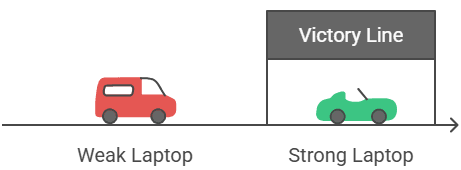
Again telling you – coding is not a joke. Your full future sits on your screen, your keys, your speed, your focus. And yes, the best laptop for coding and programming is not only a device… it is your main partner in this life path. One weak laptop slows you, confuses you and pushes your competitor ahead. One strong laptop lifts your work, your mind and your confidence.
We never force you. We only show the best path so you never say later – if i knew this earlier, my work would be better today. Now is the right time. Do not delay. Choose the model that fits your work, your budget, your goals.
Share this guide with your friends or family members – so they also take a good step. If you need extra help, drop a comment and we will guide you calmly. You stayed till the end and that already shows your fire. Walk forward now. Your coming days are waiting for your best work.
FAQ
Is an i3 13th Gen processor enough for coding?
Yes, for beginners and students, i3 13th Gen is more than enough. It easily handles VS Code, Java, Python, front end tools, database basics, browsing and multitasking. If you are not doing heavy AI/ML or big backend servers, you will not face issues.
Is 8GB – 12GB RAM good for programming?
Totally. For most coders, 8 – 12GB RAM is perfect. Your IDE, browser tabs, Git and small projects run without lag. Only if you plan to run virtual machines or Docker containers daily, then you may need more. Otherwise, 12GB RAM like in Vivobook feels super comfortable.
Do I need the dedicated graphics card for coding?
Nope. Not at all. For programming, integrated graphics works perfectly. Only if you want to do game development, 3D designing or heavy GPU tasks, then you need a dedicated GPU like RTX. For normal coding, integrated GPU is smooth and battery friendly.
Can I do Python or Java coding on these laptops?
Of course. These laptops run Python, Java, C++, JavaScript, React, HTML/CSS, SQL — everything smooothly. For learning, college assignments and real projects, you will not face trouble.
Do these laptops heat while coding?
Normal heat is okay, nothing to worry. Coding itself does not cause heavy heat like gaming. Just keep your laptop on a flat surface and do not block the vents. If you run many background apps, close the unnecessary ones.
Should I buy a laptop online or offline for coding?
Online is usually better. You get fresh stock, better discounts, easy returns, many user reviews and exact model details. Offline stores often push old models or show-room pieces with higher prices. For coding and programming laptops, online deals are far more logical.
A good laptop does not make you a coder, but it gives your talent the space to grow.
Apart from this, if you need deep info about computer programming, you can also read this helpful guide.

[ Author ] – Safdar Khurshid researches and evaluates consumer electronic gadgets, including smartphones, laptops, accessories, and everyday tech products, with a strong focus on long term usability, real world performance and buying mistakes people often regret later. His work is centered on helping readers understand trade offs clearly, so they know not just what to buy but also what to avoid.