

TOC
Introduction
The first moment people see true black and instant response, they understand this is not a normal screen. This is where eyes stop adjusting and start enjoying. Many users today are shifting from a normal monitor to a full visual experience, especially for gaming, movies, editing and daily work comfort.
OLED technology changes how colors look, how motion feels and how long you enjoy sitting in front of the screen. This guide on the best OLED monitors is written to help you choose with clarity. Before you invest money, invest a few minutes here and you will save your money later.
We cover OLED display advantages, response time, color accuracy, burn in concerns, gaming OLED monitors and professional OLED displays so you make a smart long term choice.
How I Evaluate This List?
Display technology
When i evaluate OLED monitors, i ignore brand terms and focus on oled display technology itself. I spend time watching dark scenes, mixed content and text for many hours across days. I observe how pixels turn off, how blacks stay black and how details hold after long viewing. That tells me more than any label on the box.
Real refresh rate
I do not judge refresh rate by peak numbers. I use the monitor continuously for 30 to 60 minutes of gaming and long scrolling sessions. I watch for stutter, frame drops and visual fatigue. If motion stays smooth after sustained use, the refresh rate is useful. If not, high numbers are meaningless.
Color accuracy relevance
I check color behavior during daily use like video watching, photo edits and reading for hours. I look at skin tones, whites and shadow balance. I ignore lab scores because most users do not work in labs. If colors feel natural over long sessions, accuracy is good enough for real life.
Burn in prevention systems
OLED burn in prevention matters only when tested over time. I run static elements and mixed content daily and check panel behavior after weeks of use. I look at pixel shifting, screen refresh tools and heat buildup. Good thermal design reduces stress. This reflects oled monitor burn in real life usage.
Port flexibility
I test ports by connecting laptop, console and work devices in one setup. I switch inputs during daily use and notice delays or friction. I ignore rare ports most people never use. If common connections work smoothly every day, the monitor fits real desk setups better than spec heavy options.
Ergonomics and long session comfort
I sit in front of the monitor for long work and browsing sessions, often several hours. I adjust height, tilt and angle and check neck and eye comfort. I ignore design looks. If posture stays relaxed and eyes feel less strained after hours, ergonomics are done right.
Panel care software presence
I check panel care software during real ownership style use. I see if reminders appear on time and if pixel care runs quietly in the background. I ignore flashy dashboards. Simple tools that protect the panel without interrupting work matter most for long term OLED safety.
Portability vs desk permanence
I evaluate whether the monitor suits a fixed desk or needs movement. I lift it, adjust cables and change positions during use. I ignore ultra slim marketing. Weight, stand balance and cable handling decide if a monitor fits permanent setups or shared spaces in daily life.
5 Best OLED Monitors For You
MSI MAG
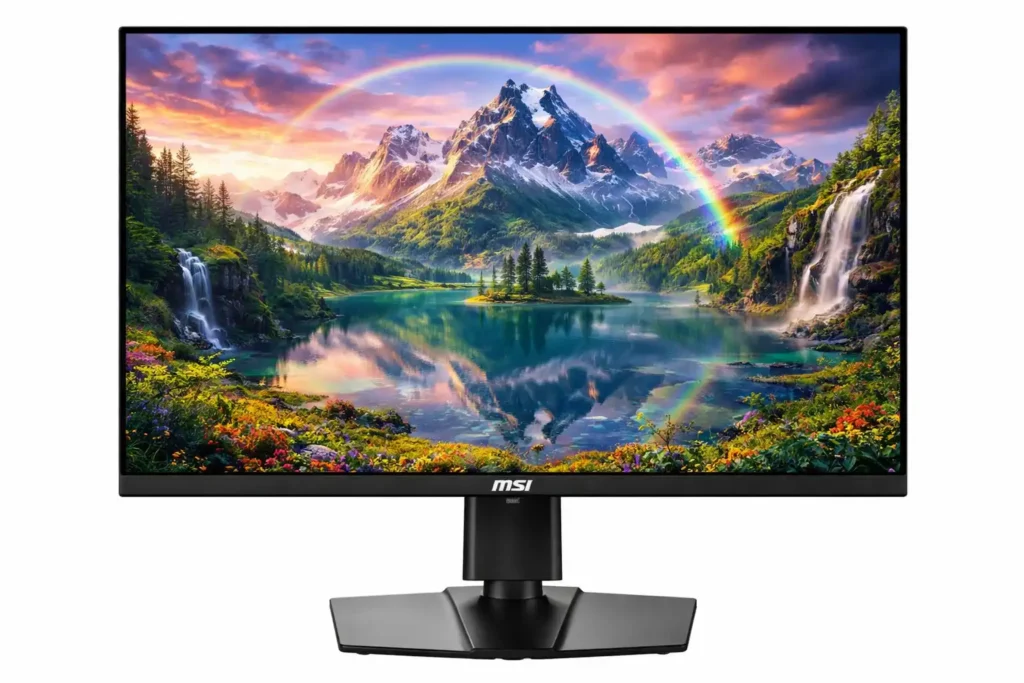
When you sit in front of this MSI MAG QD OLED monitor, the first thing you notice is not the specs, but how the screen behaves over time. You see true black immediately, but what matters more is how it stays consistent after long gaming and work sessions. This QD OLED panel keeps contrast stable and text sharp even after hours, which shows the strength of the oled display technology used here.
You feel 240 Hz refresh rate only when you play or scroll for 30 to 60 minutes continuously. Motion stays clean, tracking feels natural and blur does not creep in during longer sessions. The 0.03ms response time helps fast games feel controlled, not jumpy. This matters more than peak numbers when you actually play daily. For competitive titles, this easily fits the role of the best QD OLED monitor for competitive gaming.
Color handling feels natural rather than loud. Skin tones, dark scenes and bright highlights stay balanced across games and videos. The 99% DCI P3 coverage helps creative work too, but more importantly, colors do not tire your eyes during long use. HDR feels useful in dark scenes because blacks stay black instead of turning grey.
Burn in concern is handled practically. OLED Care 2.0 runs quietly in the background and the fanless graphene heatsink keeps heat under control during extended use. This directly supports oled monitor burn in real life usage, not just on paper.
Ports fit real setups well. You can connect PC, console and laptop without compromise using HDMI 2.1, DisplayPort and USB C. The stand adjusts fully, so long sessions feel comfortable. This monitor is built for daily competitive use, not short demo impressions.
Limitation
One limitation you may notice is sustained brightness in HDR use. During longer gaming or movie sessions, the MSI MAG reduces brightness to control heat and protect the OLED panel. Short HDR scenes look impressive but extended HDR feels less punchy than Mini LED monitors built for high sustained brightness.
| Specifications | |
|---|---|
| 🖥️ Panel Type | QD-OLED (Quantum Dot OLED, Self Emissive Pixels) |
| 📏 Screen Size | 26.5 inch / 27 inch Class Display |
| 🖼️ Resolution & Aspect Ratio | WQHD 2560 × 1440 |
| 🔄 Refresh Rate | 240 Hz |
| ⚡ Response Time | 0.03 ms (GtG) |
| 🎨 Color Performance | 10-bit Color Depth, 1.07 Billion Colors, 99% DCI-P3, ΔE ≤ 2 |
| 🌈 HDR & Contrast | DisplayHDR True Black 400, ~1,500,000:1 Native Contrast |
| 🔆 Brightness | ~250 nits Typical |
| 🔌 Connectivity | DisplayPort 1.4a, HDMI 2.1 (WQHD@240Hz), USB C (DP Alt Mode, 15W PD) |
| ⚙️ Design & Ergonomics | Semi Glossy Anti Reflective Surface, Fanless Graphene Heatsink, 4 Way Adjustable Stand, 100×100mm VESA Support |
| 🛡️ Warranty | 3 Years |
| Check Latest Price | |
| Check Latest Price | |
| Note: Specs may vary — please check the retailer’s site before buying. | |
As an Amazon Associate, we earn from qualifying purchases. If you buy through our links, we may earn a commission at no extra cost to you. | |
INNOCN Portable
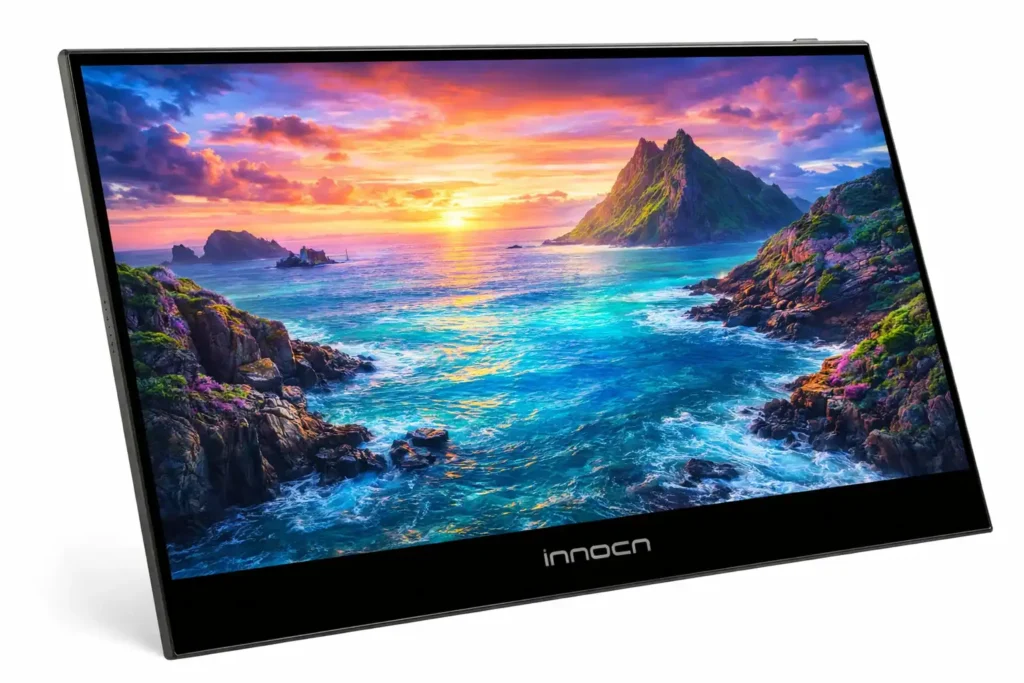
Now we move to the second monitor on this list, and this one plays a very different role. The INNOCN 13.3 inch OLED monitor is not meant to sit permanently on a desk. You use it as a second screen, mostly close to you, while working, travelling, or sharing desk space. In this kind of use, oled display technology starts making sense very quickly.
When you spend a few days with this screen, you notice how black areas stay dark when watching videos at night or working in low light. Text looks clean and small details remain visible without forcing your eyes. This matters more when the screen stays close to your face for long hours.
Color handling becomes clear during real work. If you edit photos or videos for one or two hours at a stretch, colors stay natural. Skin tones do not look odd and contrast stays balanced. The 100 percent DCI P3 support helps creative work, but the real benefit is that colors do not feel sharp or uncomfortable during long sessions.
This monitor runs at 60Hz and you should be clear about that. Fast scrolling and competitive gaming will feel limited. This is not built for high speed play. It fits editing, office work, content watching and casual console use where clarity matters more than motion speed.
Connection is simple and practical. You plug USB C or mini HDMI and it starts working. No drivers, no setup time. Weight is low and body is thin, so carrying it daily is easy.
OLED burn in prevention depends on use. If you avoid static screens for many hours and mix content properly, oled monitor burn in real life usage stays under control.
This monitor suits people looking for a portable OLED monitor for laptop work, travel display for creators or a compact OLED second screen, not a main gaming monitor.
Limitation
You may feel limited by the 60Hz refresh rate if you scroll very fast or play competitive games. This screen is not built for speed. Also, since it is OLED, you should avoid keeping the same image on screen for many hours. Careless use can increase burn in risk over time.
| Specifications | |
|---|---|
| 🖥️ Display Type | OLED Self Emissive Panel |
| 📏 Screen Size | 13.29 Inches |
| 🖼️ Resolution & Aspect Ratio | Full HD 1920 × 1080 |
| 🔄 Refresh Rate | 60 Hz |
| ⚡ Response Time | 1 ms |
| 🎨 Color Accuracy | 100 percent DCI P3 color gamut with factory calibration |
| 🌈 Contrast Ratio | Approx. 100000 to 1 native contrast |
| 🔆 Brightness Level | Up to 400 nits peak brightness |
| 🔌 Connectivity Options | USB Type C Display input and Mini HDMI |
| ⚙️ Design & Portability | Ultra slim body around 0.8 cm thickness |
| 🛡️ Warranty | Not Sure |
| Current Price | |
| Check Latest Price | |
| Note: Specs may vary — please check the retailer’s site before buying. | |
As an Amazon Associate, we earn from qualifying purchases. If you buy through our links, we may earn a commission at no extra cost to you. | |
AOC Oled Monitor
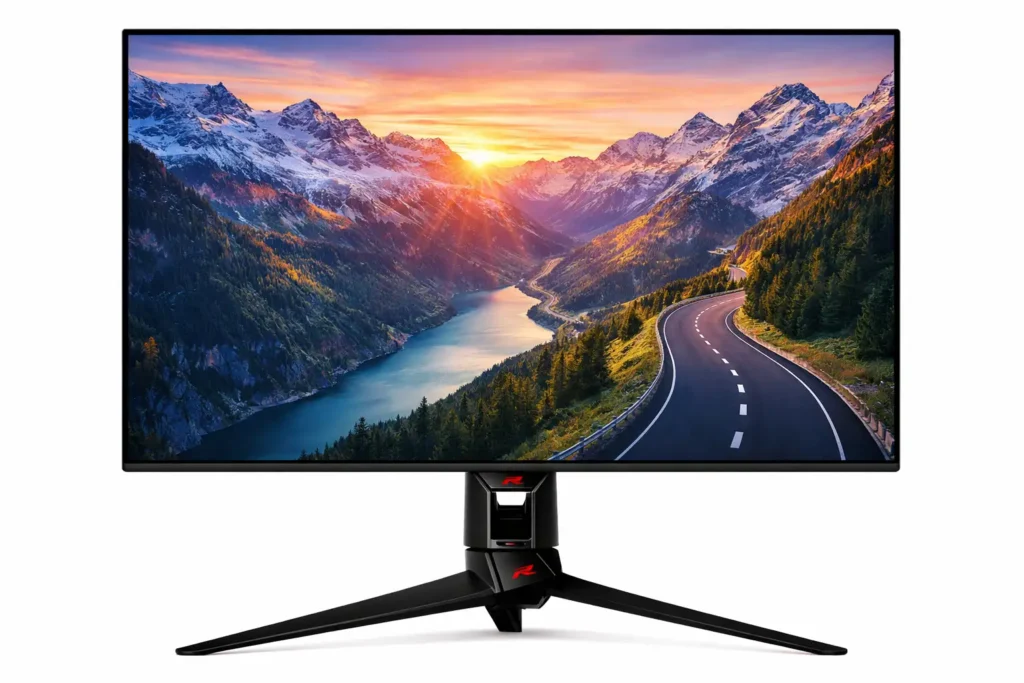
Now moving to the third monitor on this list, this AOC QD OLED model is clearly built with fast gaming in mind. You understand its strength when games get busy and the screen has to keep up without breaking focus. Actions feel connected to your input and the screen never feels like it is lagging behind what you do.
The 27 inch QHD size fits well on a normal desk. It gives enough space without forcing you to move your head too much. Dark scenes in games look proper, not washed out and text stays readable during long play hours. The matte screen surface also helps control reflections which makes a difference in rooms with lights or daylight.
High refresh rate matters here in a practical way. When gameplay gets fast, motion stays stable and smooth. You do not see trails or blur during quick camera movement. The low response time helps keep visuals sharp, so aiming and tracking feel more controlled. This is where QD OLED technology shows its value for competitive gaming.
Colors feel rich but not overdone. HDR TrueBlack 400 works best in darker scenes, where shadow detail stays visible instead of turning grey. This makes games and movies feel more natural rather than overly bright. Built in speakers are basic but usable for casual needs and the USB hub helps keep desk cables organised.
This monitor suits users searching for a QD OLED gaming monitor, fast response OLED display and esports focused desk setup where performance matters more than looks.
Limitation
This monitor is tuned mainly for gaming. If you expect very high brightness for HDR movies or daytime viewing, it may feel limited compared to Mini LED monitors. The rear RGB lighting looks nice but adds no real value. Like all OLED panels, careless static screen use can increase oled monitor burn in real life usage over time.
| Specifications | |
|---|---|
| 🖥️ Panel Technology | QD OLED self emissive display |
| 📏 Screen Size | 27 Inches |
| 🖼️ Resolution | 2560 × 1440 QHD |
| 📐 Aspect Ratio | 16:9 |
| 🔄 Refresh Rate | 240 Hz |
| ⚡ Response Time | 0.03 ms gray to gray |
| 🔆 Brightness Level | Around 250 nits typical |
| 🌈 HDR Support | VESA DisplayHDR TrueBlack 400 |
| 🎨 Color Coverage | Approx. 98 percent wide color gamut |
| 👀 Viewing Angles | 178 degrees horizontal and vertical |
| 🧱 Surface Finish | Matte anti glare coating |
| 🎮 Adaptive Sync Support | Compatible with variable refresh including G Sync |
| 🔌 Connectivity & Extras | HDMI inputs USB hub integrated speakers |
| ⚙️ Design & Ergonomics | Height adjustable stand esports focused design |
| 💡 Lighting Feature | Rear ambient Light FX illumination |
| 🛡️ Warranty | 3 Years |
| Check Latest Price | |
| Check Latest Price | |
| Note: Specs may vary — please check the retailer’s site before buying. | |
As an Amazon Associate, we earn from qualifying purchases. If you buy through our links, we may earn a commission at no extra cost to you. | |
InnoView 4K OLED Portable Monitor
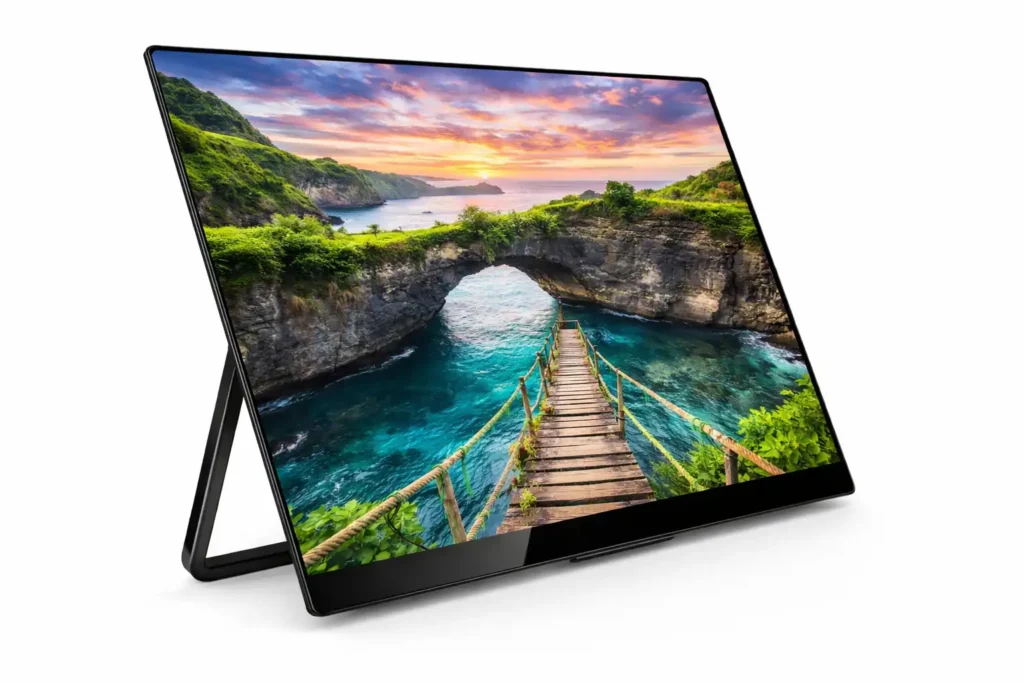
Now moving to the fourth monitor on this list, the InnoView 4K OLED portable monitor is made for those who want high detail in a small screen. You understand its value when you use it as a second screen for editing, watching content or working while travelling. This is not a desk replacement. It is a sharp, close view screen where oled display technology really shows its strength.
14 inch 4K resolution feels extremely sharp at normal viewing distance. When you work on photos, videos or detailed documents, small text and fine edges stay clear. The 16:10 aspect ratio gives extra vertical space which helps in editing timelines, coding and reading. Colors look natural during long sessions and the 100 percent DCI P3 support helps when color accuracy matters for creative work.
This monitor feels comfortable for close use because each pixel lights up on its own. Dark areas stay dark, and contrast remains strong without pushing brightness too hard. That makes it suitable for night work and movie watching. The 1ms response helps with smooth motion but this screen is more about clarity than fast competitive gaming.
Portability is a strong point here. You can carry it easily in a bag, set it up quickly, and adjust the stand angle based on your space. USB C and HDMI make daily connections simple with laptops, consoles and phones. It fits users searching for a portable 4K OLED monitor for laptop work, travel display for creators or a compact OLED screen for editing on the move.
Limitation
Because this is a glossy OLED panel, reflections can bother you in bright rooms or near windows. Also, at 14 inches, 4K benefits are best when you sit close. Like all OLED screens, long static images should be avoided to reduce oled monitor burn in real life usage over time.
| Specifications | |
|---|---|
| 🖥️ Display Size | 14 Inch OLED portable monitor |
| 🖼️ Resolution | 3840 × 2400 UHD 4K |
| 📐 Aspect Ratio | 16:10 |
| 🧬 Panel Technology | OLED self-emissive display |
| 🎨 Color Gamut | 100 percent DCI-P3 |
| 🎯 Color Accuracy | Factory calibrated Delta E less than 2 |
| 🌑 Contrast Ratio | 100000:1 |
| ⚡ Response Time | 1 ms |
| 🔆 Brightness | Up to 400 nits |
| 🔌 Connectivity | USB Type C and HDMI |
| 🛡️ Warranty | Not Sure |
| Check Latest Price | |
| Check Latest Price | |
| Note: Specs may vary — please check the retailer’s site before buying. | |
As an Amazon Associate, we earn from qualifying purchases. If you buy through our links, we may earn a commission at no extra cost to you. | |
ASUS ROG Swift Monitor
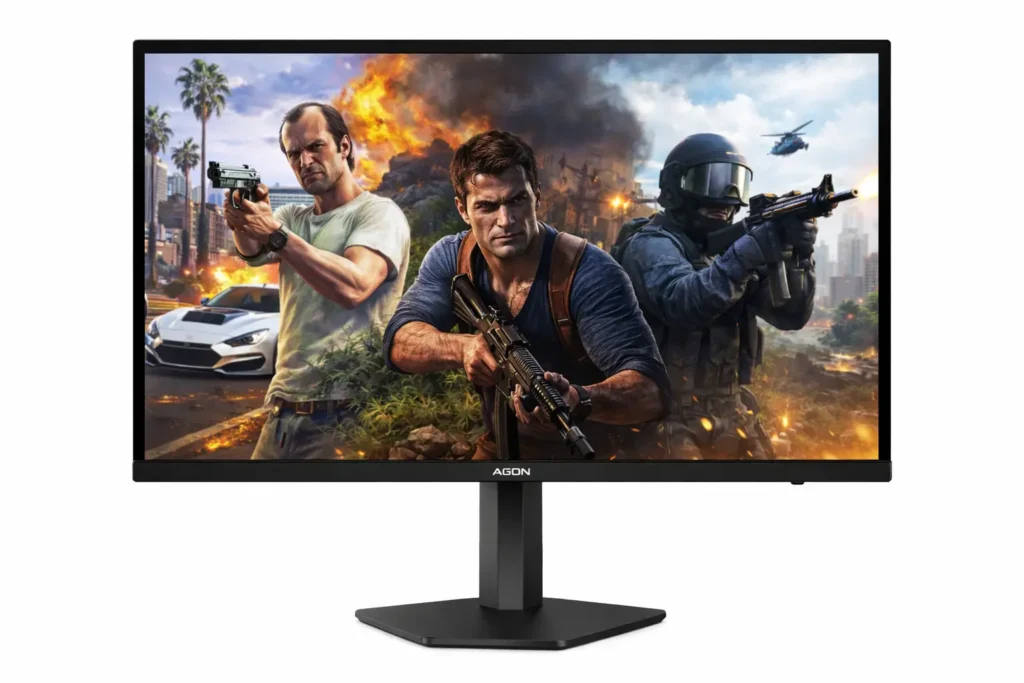
Now coming to the last monitor on this list, the ASUS ROG Swift 32 inch QD OLED feels like a full desk setup monitor, not something you adjust or move often. You understand its purpose when you sit in front of it for long gaming or work sessions. This screen is built to stay on one desk and handle everything without compromise.
The 32 inch 4K QD OLED panel gives you space and clarity together. When you play games or work with timelines, maps or multiple windows, you do not feel cramped. Fine details stay sharp even when you sit at a normal distance. The oled display technology here shows its strength in dark scenes where black areas stay clean and contrast stays controlled instead of looking grey.
High refresh rate matters differently at this size. When you play fast games, motion stays smooth across the large screen without tearing or sudden blur. The low response time helps keep movement connected to your input. This is useful not just for shooters but also for racing and action games where screen control matters more than raw speed.
Heat management is handled seriously. The custom heatsink and graphene layer work quietly in the background. During long use, the panel feels stable and brightness does not jump around suddenly. The uniform brightness option helps when you work for hours, so your eyes do not keep adjusting.
Ports fit modern setups well. HDMI 2.1 supports consoles properly, and USB C with 90W power delivery can charge and run a laptop at the same time. This suits those searching for a 32 inch 4K OLED gaming monitor, QD OLED monitor for console and PC or a premium OLED display for mixed gaming and work.
Limitation
This monitor needs space and budget. On smaller desks, the 32 inch size can make you uncomfortable. Also, being OLED, you still need basic care with static content. Even with strong oled burn in prevention features, careless long term static use can affect oled monitor burn in real life usage.
| Specifications | |
|---|---|
| 🖥️ Display Size | 32 inch OLED gaming monitor |
| 🖼️ Resolution | 4K UHD 3840 × 2160 |
| 🧬 Panel Type | QD OLED with self emissive pixels |
| ⚡ Refresh Rate | 240 Hz ultra high refresh |
| ⏱️ Response Time | 0.03 ms GTG |
| 🎨 Color Gamut | 99 percent DCI P3 |
| 🌈 Color Depth | True 10 bit color |
| 🔆 HDR Standard | VESA DisplayHDR True Black 400 |
| ❄️ Thermal Protection | Custom heatsink with graphene film and optimized airflow |
| 🔌 Connectivity | DisplayPort 1.4 HDMI 2.1 and USB Type C with 90 W power delivery |
| 🛡️ Warranty | Not Sure |
| Check Latest Price | |
| Check Latest Price | |
| Note: Specs may vary — please check the retailer’s site before buying. | |
As an Amazon Associate, we earn from qualifying purchases. If you buy through our links, we may earn a commission at no extra cost to you. | |
Setup Guide for First 7 Days
Initial brightness calibration
When you start using the monitor, keep brightness low on day one. Do not push it high just because the screen looks good. Sit normally and adjust until white looks comfortable not sharp. Use the screen for few hours and check eye comfort. I usually increase brightness slowly over days so eyes adjust naturally and panel stays relaxed.
Pixel refresh scheduling
OLED panels need regular pixel refresh to stay healthy. Check settings and keep pixel refresh on automatic mode. Do not skip it when reminder appears. It usually runs after long use or when you turn off the screen. Let it complete fully. This habit helps reduce long term image retention and keeps the display stable during daily use.
Taskbar transparency setup
If you use Windows or Mac keep taskbar transparent or auto hide. Solid bright bars staying fixed for hours are not good for OLED. Transparent taskbar blends better with content and reduces stress on pixels. This small change helps during long work days especially if you use browser and file manager most of the time.
Screen saver configuration
Always turn on screen saver within five to ten minutes of inactivity. Choose moving patterns not static images. Avoid using personal photos as screen saver. Simple motion works best. This protects the panel when you step away for tea or phone calls. It sounds basic but many people forget and later regret it.
HDR mode sanity check
Do not keep HDR always on. Use HDR only when watching HDR videos or playing supported games. In daily work HDR can make brightness jump and strain eyes. Switch between SDR and HDR based on need. I keep HDR off for normal work and turn it on only when content demands it.
Cable selection importance
Use good quality cables that support full resolution and refresh rate. Cheap cables can cause flicker black screen or signal drop. If your monitor supports USB C or HDMI 2.1 use the cable that came in the box. Stable connection matters more than fancy cable names during daily long sessions.
Long Term Maintenance
Weekly usage habits
During weekly use, try to mix your work and content. Do not keep the same window or game open all day. Change apps, move windows and take short breaks. This habit helps an oled gaming monitor age evenly. Simple daily movement on screen matters more than running special tools again and again.
Monthly pixel refresh timing
Once in a month, check that pixel refresh has run properly. If your monitor asks for a longer refresh, let it complete without interruption. Do this on a day when you are not in hurry. Regular monthly care keeps a 1440p oled monitor healthy and reduces long term image retention risk.
Cleaning without damaging coating
Clean the screen only when needed. Use soft dry cloth and wipe gently. Do not spray liquid directly on the panel. If required, lightly damp cloth with clean water. Hard rubbing or chemical cleaners can damage coating and reduce screen clarity over time.
Ideal room lighting balance
Use the monitor in a room with soft lighting. Very bright lights behind you or direct sunlight on screen cause glare and eye strain. Balanced lighting helps you keep brightness lower. This improves comfort and also helps OLED panels stay cooler during long working or gaming hours.
Avoiding heat buildup
Heat affects OLED panels slowly. Keep space around the monitor clear so air can move freely. Do not block rear vents or place the screen near walls or heaters. If your room stays hot, use a fan to keep airflow healthy and temperature under control.
Hidden OLED Awareness
Why static taskbars matter
When a taskbar stays fixed in one place for many hours, the same pixels work again and again. On an OLED screen, this slowly creates uneven wear. You may not see it early but after months it can show. Using auto hide or transparency helps pixels rest. This habit matters for any oled gaming monitor used daily.
Why brightness should not stay maxed
Keeping brightness at full level all the time puts extra load on OLED pixels. It may look good at first, but long term it adds heat and stress. Medium brightness is enough for most rooms. Lower brightness also feels easier on eyes and helps a oled monitor last longer with stable performance.
Why OLED needs screen timeout discipline
Screen timeout is not a boring setting. It protects your panel when you step away. Even short breaks matter. If the screen stays on with the same image, pixels keep working without reason. Set timeout to five or ten minutes. This small habit helps prevent unnecessary wear in daily OLED use.
Why wallpapers should change
A single wallpaper used for months keeps the same shapes and colors fixed on screen. OLED panels do not like this. Change wallpapers every few weeks or use dynamic ones. This spreads pixel use evenly. It is a simple step but very helpful for long term OLED screen health and uniform look.
Why burn in fear is often exaggerated but not imaginary
Burn in is not something that happens in one week. It comes from careless habits over long time. If you use mixed content, normal brightness and basic care, risk stays low. But ignoring all rules can cause issues. Treat OLED with sense, not fear.
Who Should Not Buy These Monitors
Users who keep static dashboards all day
If your screen shows the same dashboard, charts or fixed layout all day, OLED may not suit you. Static content keeps the same pixels active for long hours. Over time, this can create uneven wear. For such use, LCD or Mini LED panels handle constant static screens with less long term risk.
Office environments with forced brightness
If your office keeps very bright lights and you must run the screen at maximum brightness all day, OLED is not ideal. High brightness for long hours adds heat and stress to pixels. In such environments, traditional IPS or VA monitors handle forced brightness better and need less daily care.
Budget Restricted upgrades
I feel… if your budget is tight and you want a simple upgrade, OLED monitors may not be the right choice. They cost more and also need careful usage habits. If replacement or repair worries you, a good quality non OLED monitor gives more peace of mind for daily work at lower cost.
Low GPU systems
If your system uses an older or weak GPU, you may not get full benefit from high resolution or high refresh OLED panels. The screen will work but performance will feel limited. In this case, investing in GPU upgrade first makes more sense than buying a premium OLED monitor.
Users unwilling to manage settings
OLED monitors need basic care like screen timeout, brightness control and pixel refresh. If you do not want to adjust settings or follow simple habits, OLED is not for you. These panels reward mindful use. Ignoring basic care increases risk over time and reduces long term value.
Online vs Offline Buying Reality
Offline demo
When you see OLED monitors in shops, they run demo videos for few minutes only. These screens look perfect under showroom lights, but that does not show how they behave after months of daily use. You cannot judge pixel wear, brightness control or heat handling from a short offline demo.
Online reviews reveal
Online buying helps you see long term ownership stories. You find cases where people talk about burn in after months, not days. This gives a clearer picture of oled monitor burn in real life usage. You understand what happens with careless use and what stays safe with proper habits.
Easier comparison of panel generations
Online platforms make it easy to compare different OLED panel generations side by side. You can check which models use older panels and which use newer ones with better burn in prevention. This matters because panel generation affects brightness control, pixel care and long term stability more than brand names.
Better return flexibility
OLED monitors are expensive, so return option matters. Online buying usually gives a return window where you can test the monitor in your own room. If brightness, reflections or size feel wrong, you can return it. Offline shops rarely offer this kind of flexibility once the box is opened.
Firmware update transparency
Online listings and brand pages clearly mention firmware updates and OLED care features. You can track updates that improve pixel refresh or brightness behavior. Offline stores often do not explain this. For OLED monitors, firmware support plays a big role in long term panel health.
Mental & Psychological Benefits
– True black reduces eye effort.
– Smooth motion keeps your mind relaxed.
– Stable screen lowers hidden stress.
– Clear text improves focus.
– Less glare means less irritation.
– Balanced brightness avoids headaches.
– Comfortable viewing improves mood.
– Clean visuals reduce mental fatigue.
– Night use feels calmer on eyes.
– Better screen comfort improves daily mindset.
My Personal Opinion
Which OLED I would choose for myself and why
If i had to choose one for myself, i would pick a balanced OLED that stays comfortable for long hours. I care more about stable picture, good black levels and smooth daily use than chasing top specs. A monitor that works well for gaming, videos and work together feels more useful to me.
What feature I personally value least
I do not care much about flashy lights or extra design elements. RGB at the back looks nice for photos, but it does nothing for daily use. I also do not chase very high peak brightness numbers because they rarely matter in normal rooms and long sessions.
What I would never compromise on
I would never compromise on panel care features and heat control. OLED needs protection to last long. Pixel refresh, brightness control and good thermal design matter a lot. Without these, even a great looking OLED can cause tension later.
Advice I would give to a friend before buying
I would tell you to think about how you use the screen daily. Check your room light, desk space and system power. Do not buy OLED just for hype. Buy it only if you are ready to use it with care and sense.
Conclusion
Choosing an OLED monitor changes how you see and feel during daily screen use. You gain comfort, deeper blacks and smoother visuals, but you also take responsibility for proper use. The best OLED monitors reward you when you match them with your room light, desk setup and usage habits.
I hope… this guide helps you make that choice with clarity. If it helped you understand things better, share this buying guide with someone who plans to upgrade soon. It could save them money and regret. If you still need guidance or feel confused, drop a comment. Asking early always leads to better decisions.
FAQs
A screen should help your eyes rest, not make them work harder.
If you would like to know about the OLED basics, you may also read this.

[ Author ] – Safdar Khurshid researches and evaluates consumer electronic gadgets, including smartphones, laptops, accessories, and everyday tech products, with a strong focus on long term usability, real world performance and buying mistakes people often regret later. His work is centered on helping readers understand trade offs clearly, so they know not just what to buy but also what to avoid.